#1 Le 19/08/2020, à 15:15
- spEat
[RESOLU] - Mise à niveau interrompue 14.04 LTS vers 16.04 LTS
Bonjour à tous,
Tout d'abord, je vous remercie par avance pour votre aide. Avant de poster, j'ai fait le tour du forum et passé en revue ce que je pouvais trouver sur le Net. Le problème est connu, mais chacun bloque à un endroit différent. Donc les résolutions ne fonctionnent pas dans mon cas.
J'ai lancé la mise à jour hier via l'interface graphique de la version 14.04 vers 16.04. Je sais, il était temps 
Alors j'ai perdu le fil de l'installation lorsque l'interface proposait de faire le ménage de 365 packets, si ma mémoire est bonne. Je n'y ai pas répondu tout de suite, courses obligent  et j'ai verrouillé la session. À mon retour, je déverrouille la session et la grande surprise, la fenêtre en attente a disparu. Je lance naïvement un
sudo apt-get update et j'ai l'erreur "impossible d'atteindre la cible". Je regarde ma connexion réseau, tombée. Les cartes réseau ne sont plus reconnues ! J'essaie de redémarrer le PC et ça ne redémarre pas. Je force, et ça finit par redémarrer.
Évidemment, tout redémarrage forcé n'est souvent pas bon pour le système !
Je précise que la recommandation la plus fréquente que j'ai rencontrée sur le forum et le Net, à savoir :
sudo dpkg --configure -ane fonctionne pas. La commande ne retourne simplement rien.
Voici en quelques photos des écrans que j’ai depuis ce redémarrage forcé :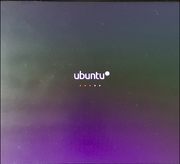
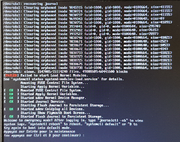
Je lance
journalctl -xb (je colle uniquement la 1er page et ensuite, celles qui présentent des erreurs) :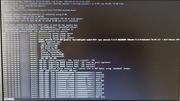
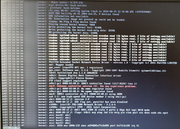
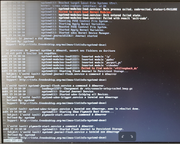
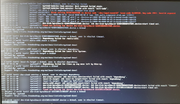
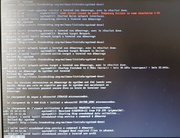
Après je redémarre avec la commande :
systemctl rebootj'arrive sur un écran Grub :
- Lorsque je démarre à partir de la première ligne "ubuntu" (option par défaut), je retombe sur le cycle que je vous ais présenté juste avant.
voici le détail en éditant cette option dans grub :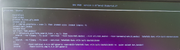
- Lorsque je sélectionne "options avancées pour Ubuntu", 
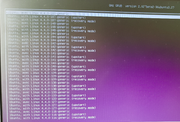
Si je sélectionne l'image du Kernel 4.4.0-187-generic, je repars avec le cycle du début du billet. Par contre, lorsque je sélectionne Kernel 4.4.0-187-generic (upstart), je démarre correctement sur ma session - au passage, UPSTART C'est un mode graphique restreint ?
Dans ce mode je dispose d'une version 16.04 d'après les infos du système.. par contre, l'ensemble des PPA sont tagués et désactivés pour la mise à jour pour Xenia :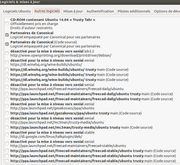
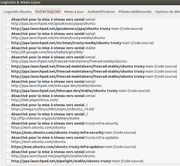
Et les drivers sont grisés.. 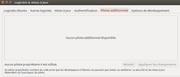
Donc j'imagine que le système n'a vraiment pas terminé son installation, que faire, des idées ?
Merci pour votre contribution.
Voici en quelques photos des écrans que j'ai rencontrer depuis ce redémarrage forcé :
Je lance
journalctl -xb (je colle uniquement la 1er page et ensuite, celles qui présentent des erreurs) :
Après je redémarre avec la commande :
systemctl rebootj'arrive sur un écran Grub :
- Lorsque je démarre à partir de la première ligne "ubuntu" (option par défaut), je retombe sur le cycle que je vous ais présenté juste avant.
voici le détail en éditant cette option dans grub :
- Lorsque je sélectionne "options avancées pour Ubuntu",
Si je sélectionne l'image du Kernel 4.4.0-187-generic, je repars avec le cycle du début du billet. Par contre, lorsque je sélectionne Kernel 4.4.0-187-generic (upstart), je démarre correctement sur ma session - au passage, UPSTART C'est un mode graphique restreint ?
Dans ce mode je dispose d'une version 16.04 d'après les infos du système.. par contre l'ensemble des PPA sont tagué et désactivés pour la mise à jour pour Xenia :
Et les drivers sont grisés..
Donc j'imagine que le système n'a vraiment pas terminé son installation, que faire, des idées ?
Merci pour votre contribution.
Je lance
journalctl -xb (je colle uniquement la 1er page et ensuite, celles qui présentent des erreurs) :
Après je redémarre avec la commande :
systemctl rebootj'arrive sur un écran Grub :
- Lorsque je démarre à partir de la première ligne "ubuntu" (option par défaut), je retombe sur le cycle que je vous ais présenté juste avant.
voici le détail en éditant cette option dans grub :
- Lorsque je sélectionne "options avancées pour Ubuntu",
Si je sélectionne l'image du Kernel 4.4.0-187-generic, je repars avec le cycle du début du billet. Par contre, lorsque je sélectionne Kernel 4.4.0-187-generic (upstart), je démarre correctement sur ma session - au passage, UPSTART C'est un mode graphique restreint ?
Dans ce mode je dispose d'une version 16.04 d'après les infos du système.. par contre l'ensemble des PPA sont tagué et désactivés pour la mise à jour pour Xenia :
Et les drivers sont grisés..
Donc j'imagine que le système n'a vraiment pas terminé son installation, que faire, des idées ?
Merci pour votre contribution.
Voici en quelques photos des écrans que j'ai rencontrer depuis ce redémarrage forcé :
Je lance
journalctl -xb (je colle uniquement la 1er page et ensuite, celles qui présentent des erreurs) :
Après je redémarre avec la commande :
systemctl rebootj'arrive sur un écran Grub :
- Lorsque je démarre à partir de la première ligne "ubuntu" (option par défaut), je retombe sur le cycle que je vous ais présenté juste avant.
voici le détail en éditant cette option dans grub :
- Lorsque je sélectionne "options avancées pour Ubuntu",
Si je sélectionne l'image du Kernel 4.4.0-187-generic, je repars avec le cycle du début du billet. Par contre, lorsque je sélectionne Kernel 4.4.0-187-generic (upstart), je démarre correctement sur ma session - au passage, UPSTART C'est un mode graphique restreint ?
Dans ce mode je dispose d'une version 16.04 d'après les infos du système.. par contre l'ensemble des PPA sont tagué et désactivés pour la mise à jour pour Xenia :
Et les drivers sont grisés..
Donc j'imagine que le système n'a vraiment pas terminé son installation, que faire, des idées ?
Merci pour votre contribution.
Modération: les doublons sont interdits
Dernière modification par spEat (Le 04/10/2020, à 21:15)
Hors ligne
#2 Le 19/08/2020, à 17:40
- Coeur Noir

Re : [RESOLU] - Mise à niveau interrompue 14.04 LTS vers 16.04 LTS
Tu étais en support étendu payant sur ta 14.04 ?
Je suis un peu étonné qu'il soit encore possible de mettre à niveau depuis cette version dont le support « normal » s'est terminé en juillet 2019.
Tu cumules quelques mauvaises idées dans ta procédure de mise à niveau, là…
1⋅ pour une mise à niveau de version d'Ubuntu, la procédure s'attend à un système à jour, « peu modifié », avec peu de ppa, les noyaux linux fournis par canonical, une pile graphique stable, etc.
2⋅ on ne laisse jamais « en plan » une mise à niveau, car il peut y avoir quelques questions en cours de route qui sollicitent l'intervention de l'utilisateur.
3⋅ on s'assure au préalable d'avoir sauvegardé ses affaires ( tu ne l'évoques pas mais tu l'as peut-être fait ).
Les ppa ont été désactivés car rien ne dit qu'ils sont toujours compatibles avec la version 16.04 - donc laisse-les désactivés pour le moment.
On peut tenter de voir si cette 16.04 sait se mettre à jour avec les commandes habituelles :
sudo apt update
sudo apt full-upgrade
sudo apt install -f
sudo apt autoremove --purge
Poster les retours de ces commandes ici ( en mode texte, entre balises code <> )
Il sera intéressant de voir si ses sources de mise à jour sont correctes :
cat /etc/apt/sources.listSans doute intéressant aussi que tu nous dises comment est « construit » ton pc combien de disques SSD, HDD, combien de partitions, lesquelles tu veux voir montées et actives dès le démarrage, etc.
S'il y a de la carte graphique nvidia, amd, ou autre.
Mais bon si l'objectif est un système stable et à jour, pourquoi ne pas faire une vraie installation d'une 20.04, plutôt qu'enchaîner des mises à niveaux ?
De plus il y a eu des évolutions ( au niveau noyau linux ) dans la prise en charge du système de fichiers EXT4 entre 14.04 et versions suivantes, pas dit que ce soit la meilleure idée de conserver telles quelles les partitions initialement crées avec la 14.04.
Débuter ⋅ Doc ⋅ Bien rédiger ⋅ Retour commande ⋅ Insérer image | illustrations & captures d'écran < ⋅ >
Hors ligne
#3 Le 19/08/2020, à 19:35
- spEat
Re : [RESOLU] - Mise à niveau interrompue 14.04 LTS vers 16.04 LTS
Tu étais en support étendu payant sur ta 14.04 ?
Je suis un peu étonné qu'il soit encore possible de mettre à niveau depuis cette version dont le support « normal » s'est terminé en juillet 2019.
Tu cumules quelques mauvaises idées dans ta procédure de mise à niveau, là…
1⋅ pour une mise à niveau de version d'Ubuntu, la procédure s'attend à un système à jour, « peu modifié », avec peu de ppa, les noyaux linux fournis par canonical, une pile graphique stable, etc.
2⋅ on ne laisse jamais « en plan » une mise à niveau, car il peut y avoir quelques questions en cours de route qui sollicitent l'intervention de l'utilisateur.
3⋅ on s'assure au préalable d'avoir sauvegardé ses affaires ( tu ne l'évoques pas mais tu l'as peut-être fait ).
Salut,
Merci pour ton rapide retour. Je ne suis pas en version payante, cependant, je pense que le fait que le support soit terminé n'exclue pas la possibilité de disposer des sources pour effectuer la mise à jour, qu'en penses-tu ?
Des mauvaises idées, possible, j'ai appris à utiliser Linux, comme beaucoup sur le "tas" . Je ne l'ai pas dit dans le début de mon poste, et tu as raison, j'aurais dû. J'ai bien vérifié que mon système était à jour avant de lancer l'upgrade. Tout était propre (mise à jour parlant) et redémarrage avant de lancer l'installation aussi.
Pour les PPA, si je comprends bien, j'aurais dû faire les mises à jour de l'ensemble du système et des applications et ensuite supprimer tous les PPA qui ne sont pas directement liés au système ?
- OK, je les garde désactivés.
La pile graphique était stable avec les drivers INTEL. Je comprends que tu remettes en question la stabilité de mon système avant de lancer la mise à jour, or, je te confirme que le système était stable et propre.
Je suis d'accord, habituellement je ne lance pas une mise à niveau si je ne suis pas certain d'être la jusqu'au bout. Cependant ayant lancé la mise à niveau vers 11H du matin, je ne pensais pas qu'à 17h30 elle ne serait pas terminé..
Coté sauvegarde, aussi, ceinture et bretelle des sauvegardes régulière sur l'outil intégré Ubuntu et juste avant l'upgrade, une sur Clonezilla (disque complet).
La raison pour laquelle je voulais lancer la mise à niveau est principalement un facteur temps. Et la je te voie venir en disant, ben en voila du temps de pérdu à essayer de réparer le système. Je peux toujours opter pour restaurer la sauvegarde complète au niveau disque et relancer le processus de mise à jour sans le quitter des yeux cette fois-ci .. partant du principe qu'il est possible d'apprendre de ce genre de situation, j'ai voulu lancer ce sujet et avoir l'avis des experts voilà tu sais tous.
La config de la machine :
- CPU : Intel® Core™ i5-4300U CPU @ 1.90GHz × 4
- RAM : 8Gio
- Carte graphique : Intel Haswell Mobile x86/MMX/SSE2 Integrated Graphics Controller
- 1 SSD 250Go (pas de dual boot ou autres truc bizarre) :
df -h
Sys. de fichiers Taille Utilisé Dispo Uti% Monté sur
udev               3,9G    4,0K  3,9G   1% /dev
tmpfs              801M    1,7M  799M   1% /run
/dev/sda1          227G    184G   32G  86% /
none               4,0K       0  4,0K   0% /sys/fs/cgroup
none               5,0M    4,0K  5,0M   1% /run/lock
none               4,0G    136M  3,8G   4% /run/shm
none               100M       0  100M   0% /run/user
cgmfs              100K       0  100K   0% /run/cgmanager/fs
tmpfs              801M    4,0K  801M   1% /run/user/112
tmpfs 801M 104K 801M 1% /run/user/1000De plus il y a eu des évolutions ( au niveau noyau linux ) dans la prise en charge du système de fichiers EXT4 entre 14.04 et versions suivantes, pas dit que ce soit la meilleure idée de conserver telles quelles les partitions initialement crées avec la 14.04.
Ta remarque sur l'évolution du système de fichier est très juste. Je suis assez curieux d'avoir ton avis et celle des autres sur cette question.
On peut tenter de voir si cette 16.04 sait se mettre à jour avec les commandes habituelles :
:~$ sudo apt update
Atteint :1 http://fr.archive.ubuntu.com/ubuntu xenial InRelease
Atteint :2 http://fr.archive.ubuntu.com/ubuntu xenial-updates InRelease
Atteint :3 http://fr.archive.ubuntu.com/ubuntu xenial-backports InRelease
Atteint :4 http://archive.canonical.com/ubuntu xenial InRelease
Atteint :5 http://fr.archive.ubuntu.com/ubuntu xenial-security InRelease
Lecture des listes de paquets... Fait
Construction de l'arbre des dépendances
Lecture des informations d'état... Fait
Tous les paquets sont à jour.
:~$ sudo apt full-upgrade
Lecture des listes de paquets... Fait
Construction de l'arbre des dépendances
Lecture des informations d'état... Fait
Calcul de la mise à jour... Fait
0 mis à jour, 0 nouvellement installés, 0 à enlever et 0 non mis à jour.:~$ sudo apt install -f
Lecture des listes de paquets... Fait
Construction de l'arbre des dépendances
Lecture des informations d'état... Fait
0 mis à jour, 0 nouvellement installés, 0 à enlever et 0 non mis à jour.:~$ sudo apt autoremove --purge
Lecture des listes de paquets... Fait
Construction de l'arbre des dépendances
Lecture des informations d'état... Fait
0 mis à jour, 0 nouvellement installés, 0 à enlever et 0 non mis à jour.Il sera intéressant de voir si ses sources de mise à jour sont correctes :
:~$ cat /etc/apt/sources.list
# deb cdrom:[Ubuntu 14.04.2 LTS _Trusty Tahr_ - Release i386 (20150218.1)]/ trusty main restricted

# See http://help.ubuntu.com/community/UpgradeNotes for how to upgrade to
# newer versions of the distribution.
deb http://fr.archive.ubuntu.com/ubuntu/ xenial main restricted
deb-src http://fr.archive.ubuntu.com/ubuntu/ xenial main restricted

## Major bug fix updates produced after the final release of the
## distribution.
deb http://fr.archive.ubuntu.com/ubuntu/ xenial-updates main restricted
deb-src http://fr.archive.ubuntu.com/ubuntu/ xenial-updates main restricted

## N.B. software from this repository is ENTIRELY UNSUPPORTED by the Ubuntu
## team. Also, please note that software in universe WILL NOT receive any
## review or updates from the Ubuntu security team.
deb http://fr.archive.ubuntu.com/ubuntu/ xenial universe
deb-src http://fr.archive.ubuntu.com/ubuntu/ xenial universe
deb http://fr.archive.ubuntu.com/ubuntu/ xenial-updates universe
deb-src http://fr.archive.ubuntu.com/ubuntu/ xenial-updates universe

## N.B. software from this repository is ENTIRELY UNSUPPORTED by the Ubuntu
## team, and may not be under a free licence. Please satisfy yourself as to
## your rights to use the software. Also, please note that software in
## multiverse WILL NOT receive any review or updates from the Ubuntu
## security team.
deb http://fr.archive.ubuntu.com/ubuntu/ xenial multiverse
deb-src http://fr.archive.ubuntu.com/ubuntu/ xenial multiverse
deb http://fr.archive.ubuntu.com/ubuntu/ xenial-updates multiverse
deb-src http://fr.archive.ubuntu.com/ubuntu/ xenial-updates multiverse

## N.B. software from this repository may not have been tested as
## extensively as that contained in the main release, although it includes
## newer versions of some applications which may provide useful features.
## Also, please note that software in backports WILL NOT receive any review
## or updates from the Ubuntu security team.
deb http://fr.archive.ubuntu.com/ubuntu/ xenial-backports main restricted universe multiverse
deb-src http://fr.archive.ubuntu.com/ubuntu/ xenial-backports main restricted universe multiverse

deb http://fr.archive.ubuntu.com/ubuntu/ xenial-security main restricted
deb-src http://fr.archive.ubuntu.com/ubuntu/ xenial-security main restricted
deb http://fr.archive.ubuntu.com/ubuntu/ xenial-security universe
deb-src http://fr.archive.ubuntu.com/ubuntu/ xenial-security universe
deb http://fr.archive.ubuntu.com/ubuntu/ xenial-security multiverse
deb-src http://fr.archive.ubuntu.com/ubuntu/ xenial-security multiverse

## Uncomment the following two lines to add software from Canonical's
## 'partner' repository.
## This software is not part of Ubuntu, but is offered by Canonical and the
## respective vendors as a service to Ubuntu users.
deb http://archive.canonical.com/ubuntu xenial partner
deb-src http://archive.canonical.com/ubuntu xenial partner

# deb http://www.openprinting.org/download/printdriver/debian/ lsb3.2 contrib # désactivé pour la mise à niveau vers xenial
# deb https://dl.winehq.org/wine-builds/ubuntu/ xenial main # désactivé pour la mise à niveau vers xenial
# deb-src https://dl.winehq.org/wine-builds/ubuntu/ trusty main
# deb-src https://dl.winehq.org/wine-builds/ubuntu/ trusty main
# deb-src https://dl.winehq.org/wine-builds/ubuntu/ trusty main
Voilà et encore merci pour ton aide
Dernière modification par spEat (Le 19/08/2020, à 19:40)
Hors ligne
#4 Le 19/08/2020, à 21:50
- Coeur Noir
Re : [RESOLU] - Mise à niveau interrompue 14.04 LTS vers 16.04 LTS
Rien ne me saute aux yeux dans ces retours.
On pourrait croire que tout va bien. Quelle est la situation actuellement quand tu démarres ton pc, obligé de passer par le recovery mode ?
Voir peut-être https://doc.ubuntu-fr.org/kernel#suppre … ens_noyaux et boot-info ou boot-repair.
Le fond de ma question c'était plutôt - surtout si tu as des sauvegardes de tes affaires perso - pourquoi ne pas installer proprement une 20.04 ?
La 16.04 est en fin de vie ( hélas ), la 18.04 est franchement évitable. Reste donc la 20.04, à laquelle tu réintégrerais tes documents personnels une fois que tu auras configuré le système à ton goût.
Débuter ⋅ Doc ⋅ Bien rédiger ⋅ Retour commande ⋅ Insérer image | illustrations & captures d'écran < ⋅ >
Hors ligne
#5 Le 20/08/2020, à 05:27
- spEat
Re : [RESOLU] - Mise à niveau interrompue 14.04 LTS vers 16.04 LTS
Merci pour ton retour
Si je redémarre la machine, je me retrouve dans la même situation que celle évoqué dans mon premier poste. Je suis donc à chaque fois obliger d'aller dans les options avancé de Grub et sélectionner le kernel (upstart) pour retrouver mon bureau.
C'est sur que je prefererais aussi repartir sur une version fraîche, mais en ce moment je n'ai vraiment pas le temps de me repalucher l'installation des applications etc. en contre partie, je ne peut pas rester en 14.04... maintenant les sauvegardes que j'ai me garantissent mais fichiers plat, je ne pense pas qu'arriver sur une 20.04 et lancer ma sauvegarde de 14.04, réinstalle les applications, ou alors ils y a eu un sacré boulot sur le système de backup. Je me trompe ?
pas mal ce petit outil boot-info, ça permet vraiment de sortir l'essentiel. Par contre je n'ai à ce stade, pas lancé boot-repair, même si dans les log il y a déja des préconisation de réparation. Je voulais avoir ton avis avant.
Voici le résultat des commandes, respectivement :
:~$ sudo apt-get autoremove --purge
Lecture des listes de paquets... Fait
Construction de l'arbre des dépendances
Lecture des informations d'état... Fait
0 mis à jour, 0 nouvellement installés, 0 à enlever et 0 non mis à jour.
apt-mark showmanual | grep -E "linux-.*[0-9]" | grep -v "hwe" | xargs -r sudo apt-mark autoIci, j'ai du mal copié / colé, je ne retrouve la sortie de la commande. En gros tout les kernel, sauf les 2 derniers ont été marqué "automatique" pour le mode d'installation, je suppose.
cette fois la commande autoremove --purge est un peu plus causante et le menage commence :
:~$ sudo apt-get autoremove --purge
Lecture des listes de paquets... Fait
Construction de l'arbre des dépendances
Lecture des informations d'état... Fait
Les paquets suivants seront ENLEVÉS :
  linux-headers-3.16.0-49* linux-headers-3.16.0-50* linux-headers-3.16.0-51* linux-headers-3.16.0-52* linux-headers-3.16.0-55*
  linux-headers-3.16.0-56* linux-headers-3.16.0-59* linux-headers-3.16.0-60* linux-headers-3.16.0-62* linux-headers-3.16.0-67*
  linux-headers-3.16.0-69* linux-headers-3.16.0-70* linux-headers-3.16.0-71* linux-headers-3.16.0-73* linux-headers-3.16.0-76*
  linux-headers-3.16.0-77* linux-headers-4.4.0-109* linux-headers-4.4.0-111* linux-headers-4.4.0-112* linux-headers-4.4.0-116*
  linux-headers-4.4.0-116-generic* linux-headers-4.4.0-127* linux-headers-4.4.0-127-generic* linux-headers-4.4.0-133*
  linux-headers-4.4.0-133-generic* linux-headers-4.4.0-138* linux-headers-4.4.0-138-generic* linux-headers-4.4.0-139*
  linux-headers-4.4.0-139-generic* linux-headers-4.4.0-140* linux-headers-4.4.0-140-generic* linux-headers-4.4.0-141*
  linux-headers-4.4.0-141-generic* linux-headers-4.4.0-142* linux-headers-4.4.0-142-generic* linux-headers-4.4.0-144*
  linux-headers-4.4.0-144-generic* linux-headers-4.4.0-36* linux-headers-4.4.0-38* linux-headers-4.4.0-42* linux-headers-4.4.0-45*
  linux-headers-4.4.0-47* linux-headers-4.4.0-51* linux-headers-4.4.0-53* linux-headers-4.4.0-57* linux-headers-4.4.0-59*
  linux-headers-4.4.0-62* linux-headers-4.4.0-63* linux-headers-4.4.0-66* linux-headers-4.4.0-70* linux-headers-4.4.0-71*
  linux-headers-4.4.0-72* linux-headers-4.4.0-75* linux-headers-4.4.0-78* linux-headers-4.4.0-79* linux-headers-4.4.0-81*
  linux-headers-4.4.0-83* linux-headers-4.4.0-87* linux-headers-4.4.0-89* linux-headers-4.4.0-92* linux-headers-4.4.0-93*
  linux-headers-4.4.0-96* linux-headers-4.4.0-97* linux-headers-4.4.0-98* linux-image-4.4.0-116-generic* linux-image-4.4.0-127-generic*
  linux-image-4.4.0-133-generic* linux-image-4.4.0-138-generic* linux-image-4.4.0-139-generic* linux-image-4.4.0-140-generic*
  linux-image-4.4.0-141-generic* linux-image-4.4.0-142-generic* linux-image-4.4.0-144-generic* linux-image-extra-4.4.0-116-generic*
  linux-image-extra-4.4.0-127-generic* linux-image-extra-4.4.0-133-generic* linux-image-extra-4.4.0-138-generic*
  linux-image-extra-4.4.0-139-generic* linux-image-extra-4.4.0-140-generic* linux-image-extra-4.4.0-141-generic*
  linux-image-extra-4.4.0-142-generic* linux-modules-4.4.0-144-generic* linux-modules-extra-4.4.0-144-generic*
0 mis à jour, 0 nouvellement installés, 83 à enlever et 0 non mis à jour.
Après cette opération, 5 340 Mo d'espace disque seront libérés.
Souhaitez-vous continuer ? [O/n] o
(Lecture de la base de données... 1361354 fichiers et répertoires déjà installés.)
Suppression de linux-headers-3.16.0-49 (3.16.0-49.65~14.04.1) ...
Suppression de linux-headers-3.16.0-50 (3.16.0-50.67~14.04.1) ...
Suppression de linux-headers-3.16.0-51 (3.16.0-51.69~14.04.1) ...
Suppression de linux-headers-3.16.0-52 (3.16.0-52.71~14.04.1) ...
Suppression de linux-headers-3.16.0-55 (3.16.0-55.74~14.04.1) ...
Suppression de linux-headers-3.16.0-56 (3.16.0-56.75~14.04.1) ...
Suppression de linux-headers-3.16.0-59 (3.16.0-59.79~14.04.1) ...
Suppression de linux-headers-3.16.0-60 (3.16.0-60.80~14.04.1) ...
Suppression de linux-headers-3.16.0-62 (3.16.0-62.83~14.04.1) ...
Suppression de linux-headers-3.16.0-67 (3.16.0-67.87~14.04.1) ...
Suppression de linux-headers-3.16.0-69 (3.16.0-69.89~14.04.1) ...
Suppression de linux-headers-3.16.0-70 (3.16.0-70.90~14.04.1) ...
Suppression de linux-headers-3.16.0-71 (3.16.0-71.92~14.04.1) ...
Suppression de linux-headers-3.16.0-73 (3.16.0-73.95~14.04.1) ...
Suppression de linux-headers-3.16.0-76 (3.16.0-76.98~14.04.1) ...
Suppression de linux-headers-3.16.0-77 (3.16.0-77.99~14.04.1) ...
Suppression de linux-headers-4.4.0-109 (4.4.0-109.132) ...
Suppression de linux-headers-4.4.0-111 (4.4.0-111.134~14.04.1) ...
Suppression de linux-headers-4.4.0-112 (4.4.0-112.135) ...
Suppression de linux-headers-4.4.0-116-generic (4.4.0-116.140) ...
Suppression de linux-headers-4.4.0-116 (4.4.0-116.140) ...
Suppression de linux-headers-4.4.0-127-generic (4.4.0-127.153) ...
Suppression de linux-headers-4.4.0-127 (4.4.0-127.153) ...
Suppression de linux-headers-4.4.0-133-generic (4.4.0-133.159) ...
Suppression de linux-headers-4.4.0-133 (4.4.0-133.159) ...
Suppression de linux-headers-4.4.0-138-generic (4.4.0-138.164) ...
Suppression de linux-headers-4.4.0-138 (4.4.0-138.164) ...
Suppression de linux-headers-4.4.0-139-generic (4.4.0-139.165) ...
Suppression de linux-headers-4.4.0-139 (4.4.0-139.165) ...
Suppression de linux-headers-4.4.0-140-generic (4.4.0-140.166) ...
Suppression de linux-headers-4.4.0-140 (4.4.0-140.166) ...
Suppression de linux-headers-4.4.0-141-generic (4.4.0-141.167) ...
Suppression de linux-headers-4.4.0-141 (4.4.0-141.167) ...
Suppression de linux-headers-4.4.0-142-generic (4.4.0-142.168) ...
Suppression de linux-headers-4.4.0-142 (4.4.0-142.168) ...
Suppression de linux-headers-4.4.0-144-generic (4.4.0-144.170~14.04.1) ...
Suppression de linux-headers-4.4.0-144 (4.4.0-144.170~14.04.1) ...
Suppression de linux-headers-4.4.0-36 (4.4.0-36.55) ...
Suppression de linux-headers-4.4.0-38 (4.4.0-38.57) ...
Suppression de linux-headers-4.4.0-42 (4.4.0-42.62) ...
Suppression de linux-headers-4.4.0-45 (4.4.0-45.66) ...
Suppression de linux-headers-4.4.0-47 (4.4.0-47.68) ...
Suppression de linux-headers-4.4.0-51 (4.4.0-51.72) ...
Suppression de linux-headers-4.4.0-53 (4.4.0-53.74) ...
Suppression de linux-headers-4.4.0-57 (4.4.0-57.78) ...
Suppression de linux-headers-4.4.0-59 (4.4.0-59.80) ...
Suppression de linux-headers-4.4.0-62 (4.4.0-62.83) ...
Suppression de linux-headers-4.4.0-63 (4.4.0-63.84) ...
Suppression de linux-headers-4.4.0-66 (4.4.0-66.87) ...
Suppression de linux-headers-4.4.0-70 (4.4.0-70.91) ...
Suppression de linux-headers-4.4.0-71 (4.4.0-71.92) ...
Suppression de linux-headers-4.4.0-72 (4.4.0-72.93) ...
Suppression de linux-headers-4.4.0-75 (4.4.0-75.96) ...
Suppression de linux-headers-4.4.0-78 (4.4.0-78.99) ...
Suppression de linux-headers-4.4.0-79 (4.4.0-79.100) ...
Suppression de linux-headers-4.4.0-81 (4.4.0-81.104) ...
Suppression de linux-headers-4.4.0-83 (4.4.0-83.106) ...
Suppression de linux-headers-4.4.0-87 (4.4.0-87.110) ...
Suppression de linux-headers-4.4.0-89 (4.4.0-89.112) ...
Suppression de linux-headers-4.4.0-92 (4.4.0-92.115) ...
Suppression de linux-headers-4.4.0-93 (4.4.0-93.116) ...
Suppression de linux-headers-4.4.0-96 (4.4.0-96.119) ...
Suppression de linux-headers-4.4.0-97 (4.4.0-97.120) ...
Suppression de linux-headers-4.4.0-98 (4.4.0-98.121) ...
Suppression de linux-image-extra-4.4.0-116-generic (4.4.0-116.140) ...
run-parts: executing /etc/kernel/postinst.d/apt-auto-removal 4.4.0-116-generic /boot/vmlinuz-4.4.0-116-generic
run-parts: executing /etc/kernel/postinst.d/dkms 4.4.0-116-generic /boot/vmlinuz-4.4.0-116-generic
 * dkms: running auto installation service for kernel 4.4.0-116-generic                                                                   [ OK ]
run-parts: executing /etc/kernel/postinst.d/initramfs-tools 4.4.0-116-generic /boot/vmlinuz-4.4.0-116-generic
update-initramfs: Generating /boot/initrd.img-4.4.0-116-generic
run-parts: executing /etc/kernel/postinst.d/pm-utils 4.4.0-116-generic /boot/vmlinuz-4.4.0-116-generic
run-parts: executing /etc/kernel/postinst.d/unattended-upgrades 4.4.0-116-generic /boot/vmlinuz-4.4.0-116-generic
run-parts: executing /etc/kernel/postinst.d/update-notifier 4.4.0-116-generic /boot/vmlinuz-4.4.0-116-generic
run-parts: executing /etc/kernel/postinst.d/zz-extlinux 4.4.0-116-generic /boot/vmlinuz-4.4.0-116-generic
run-parts: executing /etc/kernel/postinst.d/zz-update-grub 4.4.0-116-generic /boot/vmlinuz-4.4.0-116-generic
Création du fichier de configuration GRUB…
Attention : Définir GRUB_TIMEOUT à une valeur non nulle si GRUB_HIDDEN_TIMEOUT est définie n’est plus possible.
Image Linux trouvée : /boot/vmlinuz-4.4.0-187-generic
Image mémoire initiale trouvée : /boot/initrd.img-4.4.0-187-generic
Image Linux trouvée : /boot/vmlinuz-4.4.0-148-generic
Image mémoire initiale trouvée : /boot/initrd.img-4.4.0-148-generic
Image Linux trouvée : /boot/vmlinuz-4.4.0-144-generic
Image mémoire initiale trouvée : /boot/initrd.img-4.4.0-144-generic
Image Linux trouvée : /boot/vmlinuz-4.4.0-142-generic
Image mémoire initiale trouvée : /boot/initrd.img-4.4.0-142-generic
Image Linux trouvée : /boot/vmlinuz-4.4.0-141-generic
Image mémoire initiale trouvée : /boot/initrd.img-4.4.0-141-generic
Image Linux trouvée : /boot/vmlinuz-4.4.0-140-generic
Image mémoire initiale trouvée : /boot/initrd.img-4.4.0-140-generic
Image Linux trouvée : /boot/vmlinuz-4.4.0-139-generic
Image mémoire initiale trouvée : /boot/initrd.img-4.4.0-139-generic
Image Linux trouvée : /boot/vmlinuz-4.4.0-138-generic
Image mémoire initiale trouvée : /boot/initrd.img-4.4.0-138-generic
Image Linux trouvée : /boot/vmlinuz-4.4.0-133-generic
Image mémoire initiale trouvée : /boot/initrd.img-4.4.0-133-generic
Image Linux trouvée : /boot/vmlinuz-4.4.0-127-generic
Image mémoire initiale trouvée : /boot/initrd.img-4.4.0-127-generic
Image Linux trouvée : /boot/vmlinuz-4.4.0-116-generic
Image mémoire initiale trouvée : /boot/initrd.img-4.4.0-116-generic
Found memtest86+ image: /boot/memtest86+.elf
Found memtest86+ image: /boot/memtest86+.bin
fait
Purge des fichiers de configuration de linux-image-extra-4.4.0-116-generic (4.4.0-116.140) ...
Suppression de linux-image-4.4.0-116-generic (4.4.0-116.140) ...
Examining /etc/kernel/prerm.d.
run-parts: executing /etc/kernel/prerm.d/dkms 4.4.0-116-generic /boot/vmlinuz-4.4.0-116-generic
dkms: removing: virtualbox 5.1.38 (4.4.0-116-generic) (i686)

-------- Uninstall Beginning --------
Module:  virtualbox
Version: 5.1.38
Kernel:  4.4.0-116-generic (i686)
-------------------------------------

Status: Before uninstall, this module version was ACTIVE on this kernel.

vboxdrv.ko:
 - Uninstallation
   - Deleting from: /lib/modules/4.4.0-116-generic/updates/dkms/
 - Original module
   - No original module was found for this module on this kernel.
   - Use the dkms install command to reinstall any previous module version.


vboxnetadp.ko:
 - Uninstallation
   - Deleting from: /lib/modules/4.4.0-116-generic/updates/dkms/
 - Original module
   - No original module was found for this module on this kernel.
   - Use the dkms install command to reinstall any previous module version.


vboxnetflt.ko:
 - Uninstallation
   - Deleting from: /lib/modules/4.4.0-116-generic/updates/dkms/
 - Original module
   - No original module was found for this module on this kernel.
   - Use the dkms install command to reinstall any previous module version.


vboxpci.ko:
 - Uninstallation
   - Deleting from: /lib/modules/4.4.0-116-generic/updates/dkms/
 - Original module
   - No original module was found for this module on this kernel.
   - Use the dkms install command to reinstall any previous module version.

depmod....

DKMS: uninstall completed.
Examining /etc/kernel/postrm.d .
run-parts: executing /etc/kernel/postrm.d/initramfs-tools 4.4.0-116-generic /boot/vmlinuz-4.4.0-116-generic
update-initramfs: Deleting /boot/initrd.img-4.4.0-116-generic
run-parts: executing /etc/kernel/postrm.d/zz-extlinux 4.4.0-116-generic /boot/vmlinuz-4.4.0-116-generic
run-parts: executing /etc/kernel/postrm.d/zz-update-grub 4.4.0-116-generic /boot/vmlinuz-4.4.0-116-generic
Création du fichier de configuration GRUB…
Attention : Définir GRUB_TIMEOUT à une valeur non nulle si GRUB_HIDDEN_TIMEOUT est définie n’est plus possible.
Image Linux trouvée : /boot/vmlinuz-4.4.0-187-generic
Image mémoire initiale trouvée : /boot/initrd.img-4.4.0-187-generic
Image Linux trouvée : /boot/vmlinuz-4.4.0-148-generic
Image mémoire initiale trouvée : /boot/initrd.img-4.4.0-148-generic
Image Linux trouvée : /boot/vmlinuz-4.4.0-144-generic
Image mémoire initiale trouvée : /boot/initrd.img-4.4.0-144-generic
Image Linux trouvée : /boot/vmlinuz-4.4.0-142-generic
Image mémoire initiale trouvée : /boot/initrd.img-4.4.0-142-generic
Image Linux trouvée : /boot/vmlinuz-4.4.0-141-generic
Image mémoire initiale trouvée : /boot/initrd.img-4.4.0-141-generic
Image Linux trouvée : /boot/vmlinuz-4.4.0-140-generic
Image mémoire initiale trouvée : /boot/initrd.img-4.4.0-140-generic
Image Linux trouvée : /boot/vmlinuz-4.4.0-139-generic
Image mémoire initiale trouvée : /boot/initrd.img-4.4.0-139-generic
Image Linux trouvée : /boot/vmlinuz-4.4.0-138-generic
Image mémoire initiale trouvée : /boot/initrd.img-4.4.0-138-generic
Image Linux trouvée : /boot/vmlinuz-4.4.0-133-generic
Image mémoire initiale trouvée : /boot/initrd.img-4.4.0-133-generic
Image Linux trouvée : /boot/vmlinuz-4.4.0-127-generic
Image mémoire initiale trouvée : /boot/initrd.img-4.4.0-127-generic
Found memtest86+ image: /boot/memtest86+.elf
Found memtest86+ image: /boot/memtest86+.bin
fait
Purge des fichiers de configuration de linux-image-4.4.0-116-generic (4.4.0-116.140) ...
Examining /etc/kernel/postrm.d .
run-parts: executing /etc/kernel/postrm.d/initramfs-tools 4.4.0-116-generic /boot/vmlinuz-4.4.0-116-generic
run-parts: executing /etc/kernel/postrm.d/zz-extlinux 4.4.0-116-generic /boot/vmlinuz-4.4.0-116-generic
run-parts: executing /etc/kernel/postrm.d/zz-update-grub 4.4.0-116-generic /boot/vmlinuz-4.4.0-116-generic
Suppression de linux-image-extra-4.4.0-127-generic (4.4.0-127.153) ...
run-parts: executing /etc/kernel/postinst.d/apt-auto-removal 4.4.0-127-generic /boot/vmlinuz-4.4.0-127-generic
run-parts: executing /etc/kernel/postinst.d/dkms 4.4.0-127-generic /boot/vmlinuz-4.4.0-127-generic
 * dkms: running auto installation service for kernel 4.4.0-127-generic                                                                   [ OK ]
run-parts: executing /etc/kernel/postinst.d/initramfs-tools 4.4.0-127-generic /boot/vmlinuz-4.4.0-127-generic
update-initramfs: Generating /boot/initrd.img-4.4.0-127-generic
run-parts: executing /etc/kernel/postinst.d/pm-utils 4.4.0-127-generic /boot/vmlinuz-4.4.0-127-generic
run-parts: executing /etc/kernel/postinst.d/unattended-upgrades 4.4.0-127-generic /boot/vmlinuz-4.4.0-127-generic
run-parts: executing /etc/kernel/postinst.d/update-notifier 4.4.0-127-generic /boot/vmlinuz-4.4.0-127-generic
run-parts: executing /etc/kernel/postinst.d/zz-extlinux 4.4.0-127-generic /boot/vmlinuz-4.4.0-127-generic
run-parts: executing /etc/kernel/postinst.d/zz-update-grub 4.4.0-127-generic /boot/vmlinuz-4.4.0-127-generic
Création du fichier de configuration GRUB…
Attention : Définir GRUB_TIMEOUT à une valeur non nulle si GRUB_HIDDEN_TIMEOUT est définie n’est plus possible.
Image Linux trouvée : /boot/vmlinuz-4.4.0-187-generic
Image mémoire initiale trouvée : /boot/initrd.img-4.4.0-187-generic
Image Linux trouvée : /boot/vmlinuz-4.4.0-148-generic
Image mémoire initiale trouvée : /boot/initrd.img-4.4.0-148-generic
Image Linux trouvée : /boot/vmlinuz-4.4.0-144-generic
Image mémoire initiale trouvée : /boot/initrd.img-4.4.0-144-generic
Image Linux trouvée : /boot/vmlinuz-4.4.0-142-generic
Image mémoire initiale trouvée : /boot/initrd.img-4.4.0-142-generic
Image Linux trouvée : /boot/vmlinuz-4.4.0-141-generic
Image mémoire initiale trouvée : /boot/initrd.img-4.4.0-141-generic
Image Linux trouvée : /boot/vmlinuz-4.4.0-140-generic
Image mémoire initiale trouvée : /boot/initrd.img-4.4.0-140-generic
Image Linux trouvée : /boot/vmlinuz-4.4.0-139-generic
Image mémoire initiale trouvée : /boot/initrd.img-4.4.0-139-generic
Image Linux trouvée : /boot/vmlinuz-4.4.0-138-generic
Image mémoire initiale trouvée : /boot/initrd.img-4.4.0-138-generic
Image Linux trouvée : /boot/vmlinuz-4.4.0-133-generic
Image mémoire initiale trouvée : /boot/initrd.img-4.4.0-133-generic
Image Linux trouvée : /boot/vmlinuz-4.4.0-127-generic
Image mémoire initiale trouvée : /boot/initrd.img-4.4.0-127-generic
Found memtest86+ image: /boot/memtest86+.elf
Found memtest86+ image: /boot/memtest86+.bin
fait
Purge des fichiers de configuration de linux-image-extra-4.4.0-127-generic (4.4.0-127.153) ...
Suppression de linux-image-4.4.0-127-generic (4.4.0-127.153) ...
Examining /etc/kernel/prerm.d.
run-parts: executing /etc/kernel/prerm.d/dkms 4.4.0-127-generic /boot/vmlinuz-4.4.0-127-generic
dkms: removing: virtualbox 5.1.38 (4.4.0-127-generic) (i686)

-------- Uninstall Beginning --------
Module:  virtualbox
Version: 5.1.38
Kernel:  4.4.0-127-generic (i686)
-------------------------------------

Status: Before uninstall, this module version was ACTIVE on this kernel.

vboxdrv.ko:
 - Uninstallation
   - Deleting from: /lib/modules/4.4.0-127-generic/updates/dkms/
 - Original module
   - No original module was found for this module on this kernel.
   - Use the dkms install command to reinstall any previous module version.


vboxnetadp.ko:
 - Uninstallation
   - Deleting from: /lib/modules/4.4.0-127-generic/updates/dkms/
 - Original module
   - No original module was found for this module on this kernel.
   - Use the dkms install command to reinstall any previous module version.


vboxnetflt.ko:
 - Uninstallation
   - Deleting from: /lib/modules/4.4.0-127-generic/updates/dkms/
 - Original module
   - No original module was found for this module on this kernel.
   - Use the dkms install command to reinstall any previous module version.


vboxpci.ko:
 - Uninstallation
   - Deleting from: /lib/modules/4.4.0-127-generic/updates/dkms/
 - Original module
   - No original module was found for this module on this kernel.
   - Use the dkms install command to reinstall any previous module version.

depmod....

DKMS: uninstall completed.
Examining /etc/kernel/postrm.d .
run-parts: executing /etc/kernel/postrm.d/initramfs-tools 4.4.0-127-generic /boot/vmlinuz-4.4.0-127-generic
update-initramfs: Deleting /boot/initrd.img-4.4.0-127-generic
run-parts: executing /etc/kernel/postrm.d/zz-extlinux 4.4.0-127-generic /boot/vmlinuz-4.4.0-127-generic
run-parts: executing /etc/kernel/postrm.d/zz-update-grub 4.4.0-127-generic /boot/vmlinuz-4.4.0-127-generic
Création du fichier de configuration GRUB…
Attention : Définir GRUB_TIMEOUT à une valeur non nulle si GRUB_HIDDEN_TIMEOUT est définie n’est plus possible.
Image Linux trouvée : /boot/vmlinuz-4.4.0-187-generic
Image mémoire initiale trouvée : /boot/initrd.img-4.4.0-187-generic
Image Linux trouvée : /boot/vmlinuz-4.4.0-148-generic
Image mémoire initiale trouvée : /boot/initrd.img-4.4.0-148-generic
Image Linux trouvée : /boot/vmlinuz-4.4.0-144-generic
Image mémoire initiale trouvée : /boot/initrd.img-4.4.0-144-generic
Image Linux trouvée : /boot/vmlinuz-4.4.0-142-generic
Image mémoire initiale trouvée : /boot/initrd.img-4.4.0-142-generic
Image Linux trouvée : /boot/vmlinuz-4.4.0-141-generic
Image mémoire initiale trouvée : /boot/initrd.img-4.4.0-141-generic
Image Linux trouvée : /boot/vmlinuz-4.4.0-140-generic
Image mémoire initiale trouvée : /boot/initrd.img-4.4.0-140-generic
Image Linux trouvée : /boot/vmlinuz-4.4.0-139-generic
Image mémoire initiale trouvée : /boot/initrd.img-4.4.0-139-generic
Image Linux trouvée : /boot/vmlinuz-4.4.0-138-generic
Image mémoire initiale trouvée : /boot/initrd.img-4.4.0-138-generic
Image Linux trouvée : /boot/vmlinuz-4.4.0-133-generic
Image mémoire initiale trouvée : /boot/initrd.img-4.4.0-133-generic
Found memtest86+ image: /boot/memtest86+.elf
Found memtest86+ image: /boot/memtest86+.bin
fait
Purge des fichiers de configuration de linux-image-4.4.0-127-generic (4.4.0-127.153) ...
Examining /etc/kernel/postrm.d .
run-parts: executing /etc/kernel/postrm.d/initramfs-tools 4.4.0-127-generic /boot/vmlinuz-4.4.0-127-generic
run-parts: executing /etc/kernel/postrm.d/zz-extlinux 4.4.0-127-generic /boot/vmlinuz-4.4.0-127-generic
run-parts: executing /etc/kernel/postrm.d/zz-update-grub 4.4.0-127-generic /boot/vmlinuz-4.4.0-127-generic
Suppression de linux-image-extra-4.4.0-133-generic (4.4.0-133.159) ...
run-parts: executing /etc/kernel/postinst.d/apt-auto-removal 4.4.0-133-generic /boot/vmlinuz-4.4.0-133-generic
run-parts: executing /etc/kernel/postinst.d/dkms 4.4.0-133-generic /boot/vmlinuz-4.4.0-133-generic
 * dkms: running auto installation service for kernel 4.4.0-133-generic                                                                   [ OK ]
run-parts: executing /etc/kernel/postinst.d/initramfs-tools 4.4.0-133-generic /boot/vmlinuz-4.4.0-133-generic
update-initramfs: Generating /boot/initrd.img-4.4.0-133-generic
run-parts: executing /etc/kernel/postinst.d/pm-utils 4.4.0-133-generic /boot/vmlinuz-4.4.0-133-generic
run-parts: executing /etc/kernel/postinst.d/unattended-upgrades 4.4.0-133-generic /boot/vmlinuz-4.4.0-133-generic
run-parts: executing /etc/kernel/postinst.d/update-notifier 4.4.0-133-generic /boot/vmlinuz-4.4.0-133-generic
run-parts: executing /etc/kernel/postinst.d/zz-extlinux 4.4.0-133-generic /boot/vmlinuz-4.4.0-133-generic
run-parts: executing /etc/kernel/postinst.d/zz-update-grub 4.4.0-133-generic /boot/vmlinuz-4.4.0-133-generic
Création du fichier de configuration GRUB…
Attention : Définir GRUB_TIMEOUT à une valeur non nulle si GRUB_HIDDEN_TIMEOUT est définie n’est plus possible.
Image Linux trouvée : /boot/vmlinuz-4.4.0-187-generic
Image mémoire initiale trouvée : /boot/initrd.img-4.4.0-187-generic
Image Linux trouvée : /boot/vmlinuz-4.4.0-148-generic
Image mémoire initiale trouvée : /boot/initrd.img-4.4.0-148-generic
Image Linux trouvée : /boot/vmlinuz-4.4.0-144-generic
Image mémoire initiale trouvée : /boot/initrd.img-4.4.0-144-generic
Image Linux trouvée : /boot/vmlinuz-4.4.0-142-generic
Image mémoire initiale trouvée : /boot/initrd.img-4.4.0-142-generic
Image Linux trouvée : /boot/vmlinuz-4.4.0-141-generic
Image mémoire initiale trouvée : /boot/initrd.img-4.4.0-141-generic
Image Linux trouvée : /boot/vmlinuz-4.4.0-140-generic
Image mémoire initiale trouvée : /boot/initrd.img-4.4.0-140-generic
Image Linux trouvée : /boot/vmlinuz-4.4.0-139-generic
Image mémoire initiale trouvée : /boot/initrd.img-4.4.0-139-generic
Image Linux trouvée : /boot/vmlinuz-4.4.0-138-generic
Image mémoire initiale trouvée : /boot/initrd.img-4.4.0-138-generic
Image Linux trouvée : /boot/vmlinuz-4.4.0-133-generic
Image mémoire initiale trouvée : /boot/initrd.img-4.4.0-133-generic
Found memtest86+ image: /boot/memtest86+.elf
Found memtest86+ image: /boot/memtest86+.bin
fait
Purge des fichiers de configuration de linux-image-extra-4.4.0-133-generic (4.4.0-133.159) ...
Suppression de linux-image-4.4.0-133-generic (4.4.0-133.159) ...
Examining /etc/kernel/prerm.d.
run-parts: executing /etc/kernel/prerm.d/dkms 4.4.0-133-generic /boot/vmlinuz-4.4.0-133-generic
dkms: removing: virtualbox 5.1.38 (4.4.0-133-generic) (i686)
-------- Uninstall Beginning --------
Module:  virtualbox
Version: 5.1.38
Kernel:  4.4.0-133-generic (i686)
-------------------------------------

Status: Before uninstall, this module version was ACTIVE on this kernel.

vboxdrv.ko:
 - Uninstallation
   - Deleting from: /lib/modules/4.4.0-133-generic/updates/dkms/
 - Original module
   - No original module was found for this module on this kernel.
   - Use the dkms install command to reinstall any previous module version.


vboxnetadp.ko:
 - Uninstallation
   - Deleting from: /lib/modules/4.4.0-133-generic/updates/dkms/
 - Original module
   - No original module was found for this module on this kernel.
   - Use the dkms install command to reinstall any previous module version.


vboxnetflt.ko:
 - Uninstallation
   - Deleting from: /lib/modules/4.4.0-133-generic/updates/dkms/
 - Original module
   - No original module was found for this module on this kernel.
   - Use the dkms install command to reinstall any previous module version.


vboxpci.ko:
 - Uninstallation
   - Deleting from: /lib/modules/4.4.0-133-generic/updates/dkms/
 - Original module
   - No original module was found for this module on this kernel.
   - Use the dkms install command to reinstall any previous module version.

depmod....

DKMS: uninstall completed.
Examining /etc/kernel/postrm.d .
run-parts: executing /etc/kernel/postrm.d/initramfs-tools 4.4.0-133-generic /boot/vmlinuz-4.4.0-133-generic
update-initramfs: Deleting /boot/initrd.img-4.4.0-133-generic
run-parts: executing /etc/kernel/postrm.d/zz-extlinux 4.4.0-133-generic /boot/vmlinuz-4.4.0-133-generic
run-parts: executing /etc/kernel/postrm.d/zz-update-grub 4.4.0-133-generic /boot/vmlinuz-4.4.0-133-generic
Création du fichier de configuration GRUB…
Attention : Définir GRUB_TIMEOUT à une valeur non nulle si GRUB_HIDDEN_TIMEOUT est définie n’est plus possible.
Image Linux trouvée : /boot/vmlinuz-4.4.0-187-generic
Image mémoire initiale trouvée : /boot/initrd.img-4.4.0-187-generic
Image Linux trouvée : /boot/vmlinuz-4.4.0-148-generic
Image mémoire initiale trouvée : /boot/initrd.img-4.4.0-148-generic
Image Linux trouvée : /boot/vmlinuz-4.4.0-144-generic
Image mémoire initiale trouvée : /boot/initrd.img-4.4.0-144-generic
Image Linux trouvée : /boot/vmlinuz-4.4.0-142-generic
Image mémoire initiale trouvée : /boot/initrd.img-4.4.0-142-generic
Image Linux trouvée : /boot/vmlinuz-4.4.0-141-generic
Image mémoire initiale trouvée : /boot/initrd.img-4.4.0-141-generic
Image Linux trouvée : /boot/vmlinuz-4.4.0-140-generic
Image mémoire initiale trouvée : /boot/initrd.img-4.4.0-140-generic
Image Linux trouvée : /boot/vmlinuz-4.4.0-139-generic
Image mémoire initiale trouvée : /boot/initrd.img-4.4.0-139-generic
Image Linux trouvée : /boot/vmlinuz-4.4.0-138-generic
Image mémoire initiale trouvée : /boot/initrd.img-4.4.0-138-generic
Found memtest86+ image: /boot/memtest86+.elf
Found memtest86+ image: /boot/memtest86+.bin
fait
Purge des fichiers de configuration de linux-image-4.4.0-133-generic (4.4.0-133.159) ...
Examining /etc/kernel/postrm.d .
run-parts: executing /etc/kernel/postrm.d/initramfs-tools 4.4.0-133-generic /boot/vmlinuz-4.4.0-133-generic
run-parts: executing /etc/kernel/postrm.d/zz-extlinux 4.4.0-133-generic /boot/vmlinuz-4.4.0-133-generic
run-parts: executing /etc/kernel/postrm.d/zz-update-grub 4.4.0-133-generic /boot/vmlinuz-4.4.0-133-generic
Suppression de linux-image-extra-4.4.0-138-generic (4.4.0-138.164) ...
run-parts: executing /etc/kernel/postinst.d/apt-auto-removal 4.4.0-138-generic /boot/vmlinuz-4.4.0-138-generic
run-parts: executing /etc/kernel/postinst.d/dkms 4.4.0-138-generic /boot/vmlinuz-4.4.0-138-generic
 * dkms: running auto installation service for kernel 4.4.0-138-generic                                                                   [ OK ]
run-parts: executing /etc/kernel/postinst.d/initramfs-tools 4.4.0-138-generic /boot/vmlinuz-4.4.0-138-generic
update-initramfs: Generating /boot/initrd.img-4.4.0-138-generic
run-parts: executing /etc/kernel/postinst.d/pm-utils 4.4.0-138-generic /boot/vmlinuz-4.4.0-138-generic
run-parts: executing /etc/kernel/postinst.d/unattended-upgrades 4.4.0-138-generic /boot/vmlinuz-4.4.0-138-generic
run-parts: executing /etc/kernel/postinst.d/update-notifier 4.4.0-138-generic /boot/vmlinuz-4.4.0-138-generic
run-parts: executing /etc/kernel/postinst.d/zz-extlinux 4.4.0-138-generic /boot/vmlinuz-4.4.0-138-generic
run-parts: executing /etc/kernel/postinst.d/zz-update-grub 4.4.0-138-generic /boot/vmlinuz-4.4.0-138-generic
Création du fichier de configuration GRUB…
Attention : Définir GRUB_TIMEOUT à une valeur non nulle si GRUB_HIDDEN_TIMEOUT est définie n’est plus possible.
Image Linux trouvée : /boot/vmlinuz-4.4.0-187-generic
Image mémoire initiale trouvée : /boot/initrd.img-4.4.0-187-generic
Image Linux trouvée : /boot/vmlinuz-4.4.0-148-generic
Image mémoire initiale trouvée : /boot/initrd.img-4.4.0-148-generic
Image Linux trouvée : /boot/vmlinuz-4.4.0-144-generic
Image mémoire initiale trouvée : /boot/initrd.img-4.4.0-144-generic
Image Linux trouvée : /boot/vmlinuz-4.4.0-142-generic
Image mémoire initiale trouvée : /boot/initrd.img-4.4.0-142-generic
Image Linux trouvée : /boot/vmlinuz-4.4.0-141-generic
Image mémoire initiale trouvée : /boot/initrd.img-4.4.0-141-generic
Image Linux trouvée : /boot/vmlinuz-4.4.0-140-generic
Image mémoire initiale trouvée : /boot/initrd.img-4.4.0-140-generic
Image Linux trouvée : /boot/vmlinuz-4.4.0-139-generic
Image mémoire initiale trouvée : /boot/initrd.img-4.4.0-139-generic
Image Linux trouvée : /boot/vmlinuz-4.4.0-138-generic
Image mémoire initiale trouvée : /boot/initrd.img-4.4.0-138-generic
Found memtest86+ image: /boot/memtest86+.elf
Found memtest86+ image: /boot/memtest86+.bin
fait
Purge des fichiers de configuration de linux-image-extra-4.4.0-138-generic (4.4.0-138.164) ...
Suppression de linux-image-4.4.0-138-generic (4.4.0-138.164) ...
Examining /etc/kernel/prerm.d.
run-parts: executing /etc/kernel/prerm.d/dkms 4.4.0-138-generic /boot/vmlinuz-4.4.0-138-generic
dkms: removing: virtualbox 5.1.38 (4.4.0-138-generic) (i686)

-------- Uninstall Beginning --------
Module:  virtualbox
Version: 5.1.38
Kernel:  4.4.0-138-generic (i686)
-------------------------------------

Status: Before uninstall, this module version was ACTIVE on this kernel.

vboxdrv.ko:
 - Uninstallation
   - Deleting from: /lib/modules/4.4.0-138-generic/updates/dkms/
 - Original module
   - No original module was found for this module on this kernel.
   - Use the dkms install command to reinstall any previous module version.


vboxnetadp.ko:
 - Uninstallation
   - Deleting from: /lib/modules/4.4.0-138-generic/updates/dkms/
 - Original module
   - No original module was found for this module on this kernel.
   - Use the dkms install command to reinstall any previous module version.


vboxnetflt.ko:
 - Uninstallation
   - Deleting from: /lib/modules/4.4.0-138-generic/updates/dkms/
 - Original module
   - No original module was found for this module on this kernel.
   - Use the dkms install command to reinstall any previous module version.


vboxpci.ko:
 - Uninstallation
   - Deleting from: /lib/modules/4.4.0-138-generic/updates/dkms/
 - Original module
   - No original module was found for this module on this kernel.
   - Use the dkms install command to reinstall any previous module version.

depmod....

DKMS: uninstall completed.
Examining /etc/kernel/postrm.d .
run-parts: executing /etc/kernel/postrm.d/initramfs-tools 4.4.0-138-generic /boot/vmlinuz-4.4.0-138-generic
update-initramfs: Deleting /boot/initrd.img-4.4.0-138-generic
run-parts: executing /etc/kernel/postrm.d/zz-extlinux 4.4.0-138-generic /boot/vmlinuz-4.4.0-138-generic
run-parts: executing /etc/kernel/postrm.d/zz-update-grub 4.4.0-138-generic /boot/vmlinuz-4.4.0-138-generic
Création du fichier de configuration GRUB…
Attention : Définir GRUB_TIMEOUT à une valeur non nulle si GRUB_HIDDEN_TIMEOUT est définie n’est plus possible.
Image Linux trouvée : /boot/vmlinuz-4.4.0-187-generic
Image mémoire initiale trouvée : /boot/initrd.img-4.4.0-187-generic
Image Linux trouvée : /boot/vmlinuz-4.4.0-148-generic
Image mémoire initiale trouvée : /boot/initrd.img-4.4.0-148-generic
Image Linux trouvée : /boot/vmlinuz-4.4.0-144-generic
Image mémoire initiale trouvée : /boot/initrd.img-4.4.0-144-generic
Image Linux trouvée : /boot/vmlinuz-4.4.0-142-generic
Image mémoire initiale trouvée : /boot/initrd.img-4.4.0-142-generic
Image Linux trouvée : /boot/vmlinuz-4.4.0-141-generic
Image mémoire initiale trouvée : /boot/initrd.img-4.4.0-141-generic
Image Linux trouvée : /boot/vmlinuz-4.4.0-140-generic
Image mémoire initiale trouvée : /boot/initrd.img-4.4.0-140-generic
Image Linux trouvée : /boot/vmlinuz-4.4.0-139-generic
Image mémoire initiale trouvée : /boot/initrd.img-4.4.0-139-generic
Found memtest86+ image: /boot/memtest86+.elf
Found memtest86+ image: /boot/memtest86+.bin
fait
Purge des fichiers de configuration de linux-image-4.4.0-138-generic (4.4.0-138.164) ...
Examining /etc/kernel/postrm.d .
run-parts: executing /etc/kernel/postrm.d/initramfs-tools 4.4.0-138-generic /boot/vmlinuz-4.4.0-138-generic
run-parts: executing /etc/kernel/postrm.d/zz-extlinux 4.4.0-138-generic /boot/vmlinuz-4.4.0-138-generic
run-parts: executing /etc/kernel/postrm.d/zz-update-grub 4.4.0-138-generic /boot/vmlinuz-4.4.0-138-generic
Suppression de linux-image-extra-4.4.0-139-generic (4.4.0-139.165) ...
run-parts: executing /etc/kernel/postinst.d/apt-auto-removal 4.4.0-139-generic /boot/vmlinuz-4.4.0-139-generic
run-parts: executing /etc/kernel/postinst.d/dkms 4.4.0-139-generic /boot/vmlinuz-4.4.0-139-generic
 * dkms: running auto installation service for kernel 4.4.0-139-generic                                                                   [ OK ]
run-parts: executing /etc/kernel/postinst.d/initramfs-tools 4.4.0-139-generic /boot/vmlinuz-4.4.0-139-generic
update-initramfs: Generating /boot/initrd.img-4.4.0-139-generic
run-parts: executing /etc/kernel/postinst.d/pm-utils 4.4.0-139-generic /boot/vmlinuz-4.4.0-139-generic
run-parts: executing /etc/kernel/postinst.d/unattended-upgrades 4.4.0-139-generic /boot/vmlinuz-4.4.0-139-generic
run-parts: executing /etc/kernel/postinst.d/update-notifier 4.4.0-139-generic /boot/vmlinuz-4.4.0-139-generic
run-parts: executing /etc/kernel/postinst.d/zz-extlinux 4.4.0-139-generic /boot/vmlinuz-4.4.0-139-generic
run-parts: executing /etc/kernel/postinst.d/zz-update-grub 4.4.0-139-generic /boot/vmlinuz-4.4.0-139-generic
Création du fichier de configuration GRUB…
Attention : Définir GRUB_TIMEOUT à une valeur non nulle si GRUB_HIDDEN_TIMEOUT est définie n’est plus possible.
Image Linux trouvée : /boot/vmlinuz-4.4.0-187-generic
Image mémoire initiale trouvée : /boot/initrd.img-4.4.0-187-generic
Image Linux trouvée : /boot/vmlinuz-4.4.0-148-generic
Image mémoire initiale trouvée : /boot/initrd.img-4.4.0-148-generic
Image Linux trouvée : /boot/vmlinuz-4.4.0-144-generic
Image mémoire initiale trouvée : /boot/initrd.img-4.4.0-144-generic
Image Linux trouvée : /boot/vmlinuz-4.4.0-142-generic
Image mémoire initiale trouvée : /boot/initrd.img-4.4.0-142-generic
Image Linux trouvée : /boot/vmlinuz-4.4.0-141-generic
Image mémoire initiale trouvée : /boot/initrd.img-4.4.0-141-generic
Image Linux trouvée : /boot/vmlinuz-4.4.0-140-generic
Image mémoire initiale trouvée : /boot/initrd.img-4.4.0-140-generic
Image Linux trouvée : /boot/vmlinuz-4.4.0-139-generic
Image mémoire initiale trouvée : /boot/initrd.img-4.4.0-139-generic
Found memtest86+ image: /boot/memtest86+.elf
Found memtest86+ image: /boot/memtest86+.bin
fait
Purge des fichiers de configuration de linux-image-extra-4.4.0-139-generic (4.4.0-139.165) ...
Suppression de linux-image-4.4.0-139-generic (4.4.0-139.165) ...
Examining /etc/kernel/prerm.d.
run-parts: executing /etc/kernel/prerm.d/dkms 4.4.0-139-generic /boot/vmlinuz-4.4.0-139-generic
dkms: removing: virtualbox 5.1.38 (4.4.0-139-generic) (i686)

-------- Uninstall Beginning --------
Module:  virtualbox
Version: 5.1.38
Kernel:  4.4.0-139-generic (i686)
-------------------------------------

Status: Before uninstall, this module version was ACTIVE on this kernel.

vboxdrv.ko:
 - Uninstallation
   - Deleting from: /lib/modules/4.4.0-139-generic/updates/dkms/
 - Original module
   - No original module was found for this module on this kernel.
   - Use the dkms install command to reinstall any previous module version.


vboxnetadp.ko:
 - Uninstallation
   - Deleting from: /lib/modules/4.4.0-139-generic/updates/dkms/
 - Original module
   - No original module was found for this module on this kernel.
   - Use the dkms install command to reinstall any previous module version.


vboxnetflt.ko:
 - Uninstallation
   - Deleting from: /lib/modules/4.4.0-139-generic/updates/dkms/
 - Original module
   - No original module was found for this module on this kernel.
   - Use the dkms install command to reinstall any previous module version.


vboxpci.ko:
 - Uninstallation
   - Deleting from: /lib/modules/4.4.0-139-generic/updates/dkms/
 - Original module
   - No original module was found for this module on this kernel.
   - Use the dkms install command to reinstall any previous module version.

depmod....

DKMS: uninstall completed.
Examining /etc/kernel/postrm.d .
run-parts: executing /etc/kernel/postrm.d/initramfs-tools 4.4.0-139-generic /boot/vmlinuz-4.4.0-139-generic
update-initramfs: Deleting /boot/initrd.img-4.4.0-139-generic
run-parts: executing /etc/kernel/postrm.d/zz-extlinux 4.4.0-139-generic /boot/vmlinuz-4.4.0-139-generic
run-parts: executing /etc/kernel/postrm.d/zz-update-grub 4.4.0-139-generic /boot/vmlinuz-4.4.0-139-generic
Création du fichier de configuration GRUB…
Attention : Définir GRUB_TIMEOUT à une valeur non nulle si GRUB_HIDDEN_TIMEOUT est définie n’est plus possible.
Image Linux trouvée : /boot/vmlinuz-4.4.0-187-generic
Image mémoire initiale trouvée : /boot/initrd.img-4.4.0-187-generic
Image Linux trouvée : /boot/vmlinuz-4.4.0-148-generic
Image mémoire initiale trouvée : /boot/initrd.img-4.4.0-148-generic
Image Linux trouvée : /boot/vmlinuz-4.4.0-144-generic
Image mémoire initiale trouvée : /boot/initrd.img-4.4.0-144-generic
Image Linux trouvée : /boot/vmlinuz-4.4.0-142-generic
Image mémoire initiale trouvée : /boot/initrd.img-4.4.0-142-generic
Image Linux trouvée : /boot/vmlinuz-4.4.0-141-generic
Image mémoire initiale trouvée : /boot/initrd.img-4.4.0-141-generic
Image Linux trouvée : /boot/vmlinuz-4.4.0-140-generic
Image mémoire initiale trouvée : /boot/initrd.img-4.4.0-140-generic
Found memtest86+ image: /boot/memtest86+.elf
Found memtest86+ image: /boot/memtest86+.bin
fait
Purge des fichiers de configuration de linux-image-4.4.0-139-generic (4.4.0-139.165) ...
Examining /etc/kernel/postrm.d .
run-parts: executing /etc/kernel/postrm.d/initramfs-tools 4.4.0-139-generic /boot/vmlinuz-4.4.0-139-generic
run-parts: executing /etc/kernel/postrm.d/zz-extlinux 4.4.0-139-generic /boot/vmlinuz-4.4.0-139-generic
run-parts: executing /etc/kernel/postrm.d/zz-update-grub 4.4.0-139-generic /boot/vmlinuz-4.4.0-139-generic
Suppression de linux-image-extra-4.4.0-140-generic (4.4.0-140.166) ...
run-parts: executing /etc/kernel/postinst.d/apt-auto-removal 4.4.0-140-generic /boot/vmlinuz-4.4.0-140-generic
run-parts: executing /etc/kernel/postinst.d/dkms 4.4.0-140-generic /boot/vmlinuz-4.4.0-140-generic
 * dkms: running auto installation service for kernel 4.4.0-140-generic                                                                   [ OK ]
run-parts: executing /etc/kernel/postinst.d/initramfs-tools 4.4.0-140-generic /boot/vmlinuz-4.4.0-140-generic
update-initramfs: Generating /boot/initrd.img-4.4.0-140-generic
run-parts: executing /etc/kernel/postinst.d/pm-utils 4.4.0-140-generic /boot/vmlinuz-4.4.0-140-generic
run-parts: executing /etc/kernel/postinst.d/unattended-upgrades 4.4.0-140-generic /boot/vmlinuz-4.4.0-140-generic
run-parts: executing /etc/kernel/postinst.d/update-notifier 4.4.0-140-generic /boot/vmlinuz-4.4.0-140-generic
run-parts: executing /etc/kernel/postinst.d/zz-extlinux 4.4.0-140-generic /boot/vmlinuz-4.4.0-140-generic
run-parts: executing /etc/kernel/postinst.d/zz-update-grub 4.4.0-140-generic /boot/vmlinuz-4.4.0-140-generic
Création du fichier de configuration GRUB…
Attention : Définir GRUB_TIMEOUT à une valeur non nulle si GRUB_HIDDEN_TIMEOUT est définie n’est plus possible.
Image Linux trouvée : /boot/vmlinuz-4.4.0-187-generic
Image mémoire initiale trouvée : /boot/initrd.img-4.4.0-187-generic
Image Linux trouvée : /boot/vmlinuz-4.4.0-148-generic
Image mémoire initiale trouvée : /boot/initrd.img-4.4.0-148-generic
Image Linux trouvée : /boot/vmlinuz-4.4.0-144-generic
Image mémoire initiale trouvée : /boot/initrd.img-4.4.0-144-generic
Image Linux trouvée : /boot/vmlinuz-4.4.0-142-generic
Image mémoire initiale trouvée : /boot/initrd.img-4.4.0-142-generic
Image Linux trouvée : /boot/vmlinuz-4.4.0-141-generic
Image mémoire initiale trouvée : /boot/initrd.img-4.4.0-141-generic
Image Linux trouvée : /boot/vmlinuz-4.4.0-140-generic
Image mémoire initiale trouvée : /boot/initrd.img-4.4.0-140-generic
Found memtest86+ image: /boot/memtest86+.elf
Found memtest86+ image: /boot/memtest86+.bin
fait
Purge des fichiers de configuration de linux-image-extra-4.4.0-140-generic (4.4.0-140.166) ...
Suppression de linux-image-4.4.0-140-generic (4.4.0-140.166) ...
Examining /etc/kernel/prerm.d.
run-parts: executing /etc/kernel/prerm.d/dkms 4.4.0-140-generic /boot/vmlinuz-4.4.0-140-generic
dkms: removing: virtualbox 5.1.38 (4.4.0-140-generic) (i686)

-------- Uninstall Beginning --------
Module:  virtualbox
Version: 5.1.38
Kernel:  4.4.0-140-generic (i686)
-------------------------------------

Status: Before uninstall, this module version was ACTIVE on this kernel.

vboxdrv.ko:
 - Uninstallation
   - Deleting from: /lib/modules/4.4.0-140-generic/updates/dkms/
 - Original module
   - No original module was found for this module on this kernel.
   - Use the dkms install command to reinstall any previous module version.


vboxnetadp.ko:
 - Uninstallation
   - Deleting from: /lib/modules/4.4.0-140-generic/updates/dkms/
 - Original module
   - No original module was found for this module on this kernel.
   - Use the dkms install command to reinstall any previous module version.


vboxnetflt.ko:
 - Uninstallation
   - Deleting from: /lib/modules/4.4.0-140-generic/updates/dkms/
 - Original module
   - No original module was found for this module on this kernel.
   - Use the dkms install command to reinstall any previous module version.


vboxpci.ko:
 - Uninstallation
   - Deleting from: /lib/modules/4.4.0-140-generic/updates/dkms/
 - Original module
   - No original module was found for this module on this kernel.
   - Use the dkms install command to reinstall any previous module version.

depmod....

DKMS: uninstall completed.
Examining /etc/kernel/postrm.d .
run-parts: executing /etc/kernel/postrm.d/initramfs-tools 4.4.0-140-generic /boot/vmlinuz-4.4.0-140-generic
update-initramfs: Deleting /boot/initrd.img-4.4.0-140-generic
run-parts: executing /etc/kernel/postrm.d/zz-extlinux 4.4.0-140-generic /boot/vmlinuz-4.4.0-140-generic
run-parts: executing /etc/kernel/postrm.d/zz-update-grub 4.4.0-140-generic /boot/vmlinuz-4.4.0-140-generic
Création du fichier de configuration GRUB…
Attention : Définir GRUB_TIMEOUT à une valeur non nulle si GRUB_HIDDEN_TIMEOUT est définie n’est plus possible.
Image Linux trouvée : /boot/vmlinuz-4.4.0-187-generic
Image mémoire initiale trouvée : /boot/initrd.img-4.4.0-187-generic
Image Linux trouvée : /boot/vmlinuz-4.4.0-148-generic
Image mémoire initiale trouvée : /boot/initrd.img-4.4.0-148-generic
Image Linux trouvée : /boot/vmlinuz-4.4.0-144-generic
Image mémoire initiale trouvée : /boot/initrd.img-4.4.0-144-generic
Image Linux trouvée : /boot/vmlinuz-4.4.0-142-generic
Image mémoire initiale trouvée : /boot/initrd.img-4.4.0-142-generic
Image Linux trouvée : /boot/vmlinuz-4.4.0-141-generic
Image mémoire initiale trouvée : /boot/initrd.img-4.4.0-141-generic
Found memtest86+ image: /boot/memtest86+.elf
Found memtest86+ image: /boot/memtest86+.bin
fait
Purge des fichiers de configuration de linux-image-4.4.0-140-generic (4.4.0-140.166) ...
Examining /etc/kernel/postrm.d .
run-parts: executing /etc/kernel/postrm.d/initramfs-tools 4.4.0-140-generic /boot/vmlinuz-4.4.0-140-generic
run-parts: executing /etc/kernel/postrm.d/zz-extlinux 4.4.0-140-generic /boot/vmlinuz-4.4.0-140-generic
run-parts: executing /etc/kernel/postrm.d/zz-update-grub 4.4.0-140-generic /boot/vmlinuz-4.4.0-140-generic
Suppression de linux-image-extra-4.4.0-141-generic (4.4.0-141.167) ...
run-parts: executing /etc/kernel/postinst.d/apt-auto-removal 4.4.0-141-generic /boot/vmlinuz-4.4.0-141-generic
run-parts: executing /etc/kernel/postinst.d/dkms 4.4.0-141-generic /boot/vmlinuz-4.4.0-141-generic
 * dkms: running auto installation service for kernel 4.4.0-141-generic                                                                   [ OK ]
run-parts: executing /etc/kernel/postinst.d/initramfs-tools 4.4.0-141-generic /boot/vmlinuz-4.4.0-141-generic
update-initramfs: Generating /boot/initrd.img-4.4.0-141-generic
run-parts: executing /etc/kernel/postinst.d/pm-utils 4.4.0-141-generic /boot/vmlinuz-4.4.0-141-generic
run-parts: executing /etc/kernel/postinst.d/unattended-upgrades 4.4.0-141-generic /boot/vmlinuz-4.4.0-141-generic
run-parts: executing /etc/kernel/postinst.d/update-notifier 4.4.0-141-generic /boot/vmlinuz-4.4.0-141-generic
run-parts: executing /etc/kernel/postinst.d/zz-extlinux 4.4.0-141-generic /boot/vmlinuz-4.4.0-141-generic
run-parts: executing /etc/kernel/postinst.d/zz-update-grub 4.4.0-141-generic /boot/vmlinuz-4.4.0-141-generic
Création du fichier de configuration GRUB…
Attention : Définir GRUB_TIMEOUT à une valeur non nulle si GRUB_HIDDEN_TIMEOUT est définie n’est plus possible.
Image Linux trouvée : /boot/vmlinuz-4.4.0-187-generic
Image mémoire initiale trouvée : /boot/initrd.img-4.4.0-187-generic
Image Linux trouvée : /boot/vmlinuz-4.4.0-148-generic
Image mémoire initiale trouvée : /boot/initrd.img-4.4.0-148-generic
Image Linux trouvée : /boot/vmlinuz-4.4.0-144-generic
Image mémoire initiale trouvée : /boot/initrd.img-4.4.0-144-generic
Image Linux trouvée : /boot/vmlinuz-4.4.0-142-generic
Image mémoire initiale trouvée : /boot/initrd.img-4.4.0-142-generic
Image Linux trouvée : /boot/vmlinuz-4.4.0-141-generic
Image mémoire initiale trouvée : /boot/initrd.img-4.4.0-141-generic
Found memtest86+ image: /boot/memtest86+.elf
Found memtest86+ image: /boot/memtest86+.bin
fait
Purge des fichiers de configuration de linux-image-extra-4.4.0-141-generic (4.4.0-141.167) ...
Suppression de linux-image-4.4.0-141-generic (4.4.0-141.167) ...
Examining /etc/kernel/prerm.d.
run-parts: executing /etc/kernel/prerm.d/dkms 4.4.0-141-generic /boot/vmlinuz-4.4.0-141-generic
dkms: removing: virtualbox 5.1.38 (4.4.0-141-generic) (i686)

-------- Uninstall Beginning --------
Module:  virtualbox
Version: 5.1.38
Kernel:  4.4.0-141-generic (i686)
-------------------------------------

Status: Before uninstall, this module version was ACTIVE on this kernel.

vboxdrv.ko:
 - Uninstallation
   - Deleting from: /lib/modules/4.4.0-141-generic/updates/dkms/
 - Original module
   - No original module was found for this module on this kernel.
   - Use the dkms install command to reinstall any previous module version.


vboxnetadp.ko:
 - Uninstallation
   - Deleting from: /lib/modules/4.4.0-141-generic/updates/dkms/
 - Original module
   - No original module was found for this module on this kernel.
   - Use the dkms install command to reinstall any previous module version.


vboxnetflt.ko:
 - Uninstallation
   - Deleting from: /lib/modules/4.4.0-141-generic/updates/dkms/
 - Original module
   - No original module was found for this module on this kernel.
   - Use the dkms install command to reinstall any previous module version.


vboxpci.ko:
 - Uninstallation
   - Deleting from: /lib/modules/4.4.0-141-generic/updates/dkms/
 - Original module
   - No original module was found for this module on this kernel.
   - Use the dkms install command to reinstall any previous module version.

depmod....

DKMS: uninstall completed.
Examining /etc/kernel/postrm.d .
run-parts: executing /etc/kernel/postrm.d/initramfs-tools 4.4.0-141-generic /boot/vmlinuz-4.4.0-141-generic
update-initramfs: Deleting /boot/initrd.img-4.4.0-141-generic
run-parts: executing /etc/kernel/postrm.d/zz-extlinux 4.4.0-141-generic /boot/vmlinuz-4.4.0-141-generic
run-parts: executing /etc/kernel/postrm.d/zz-update-grub 4.4.0-141-generic /boot/vmlinuz-4.4.0-141-generic
Création du fichier de configuration GRUB…
Attention : Définir GRUB_TIMEOUT à une valeur non nulle si GRUB_HIDDEN_TIMEOUT est définie n’est plus possible.
Image Linux trouvée : /boot/vmlinuz-4.4.0-187-generic
Image mémoire initiale trouvée : /boot/initrd.img-4.4.0-187-generic
Image Linux trouvée : /boot/vmlinuz-4.4.0-148-generic
Image mémoire initiale trouvée : /boot/initrd.img-4.4.0-148-generic
Image Linux trouvée : /boot/vmlinuz-4.4.0-144-generic
Image mémoire initiale trouvée : /boot/initrd.img-4.4.0-144-generic
Image Linux trouvée : /boot/vmlinuz-4.4.0-142-generic
Image mémoire initiale trouvée : /boot/initrd.img-4.4.0-142-generic
Found memtest86+ image: /boot/memtest86+.elf
Found memtest86+ image: /boot/memtest86+.bin
fait
Purge des fichiers de configuration de linux-image-4.4.0-141-generic (4.4.0-141.167) ...
Examining /etc/kernel/postrm.d .
run-parts: executing /etc/kernel/postrm.d/initramfs-tools 4.4.0-141-generic /boot/vmlinuz-4.4.0-141-generic
run-parts: executing /etc/kernel/postrm.d/zz-extlinux 4.4.0-141-generic /boot/vmlinuz-4.4.0-141-generic
run-parts: executing /etc/kernel/postrm.d/zz-update-grub 4.4.0-141-generic /boot/vmlinuz-4.4.0-141-generic
Suppression de linux-image-extra-4.4.0-142-generic (4.4.0-142.168) ...
run-parts: executing /etc/kernel/postinst.d/apt-auto-removal 4.4.0-142-generic /boot/vmlinuz-4.4.0-142-generic
run-parts: executing /etc/kernel/postinst.d/dkms 4.4.0-142-generic /boot/vmlinuz-4.4.0-142-generic
 * dkms: running auto installation service for kernel 4.4.0-142-generic                                                                   [ OK ]
run-parts: executing /etc/kernel/postinst.d/initramfs-tools 4.4.0-142-generic /boot/vmlinuz-4.4.0-142-generic
update-initramfs: Generating /boot/initrd.img-4.4.0-142-generic
run-parts: executing /etc/kernel/postinst.d/pm-utils 4.4.0-142-generic /boot/vmlinuz-4.4.0-142-generic
run-parts: executing /etc/kernel/postinst.d/unattended-upgrades 4.4.0-142-generic /boot/vmlinuz-4.4.0-142-generic
run-parts: executing /etc/kernel/postinst.d/update-notifier 4.4.0-142-generic /boot/vmlinuz-4.4.0-142-generic
run-parts: executing /etc/kernel/postinst.d/zz-extlinux 4.4.0-142-generic /boot/vmlinuz-4.4.0-142-generic
run-parts: executing /etc/kernel/postinst.d/zz-update-grub 4.4.0-142-generic /boot/vmlinuz-4.4.0-142-generic
Création du fichier de configuration GRUB…
Attention : Définir GRUB_TIMEOUT à une valeur non nulle si GRUB_HIDDEN_TIMEOUT est définie n’est plus possible.
Image Linux trouvée : /boot/vmlinuz-4.4.0-187-generic
Image mémoire initiale trouvée : /boot/initrd.img-4.4.0-187-generic
Image Linux trouvée : /boot/vmlinuz-4.4.0-148-generic
Image mémoire initiale trouvée : /boot/initrd.img-4.4.0-148-generic
Image Linux trouvée : /boot/vmlinuz-4.4.0-144-generic
Image mémoire initiale trouvée : /boot/initrd.img-4.4.0-144-generic
Image Linux trouvée : /boot/vmlinuz-4.4.0-142-generic
Image mémoire initiale trouvée : /boot/initrd.img-4.4.0-142-generic
Found memtest86+ image: /boot/memtest86+.elf
Found memtest86+ image: /boot/memtest86+.bin
fait
Purge des fichiers de configuration de linux-image-extra-4.4.0-142-generic (4.4.0-142.168) ...
Suppression de linux-image-4.4.0-142-generic (4.4.0-142.168) ...
Examining /etc/kernel/prerm.d.
run-parts: executing /etc/kernel/prerm.d/dkms 4.4.0-142-generic /boot/vmlinuz-4.4.0-142-generic
dkms: removing: virtualbox 5.1.38 (4.4.0-142-generic) (i686)

-------- Uninstall Beginning --------
Module:  virtualbox
Version: 5.1.38
Kernel:  4.4.0-142-generic (i686)
-------------------------------------

Status: Before uninstall, this module version was ACTIVE on this kernel.

vboxdrv.ko:
 - Uninstallation
   - Deleting from: /lib/modules/4.4.0-142-generic/updates/dkms/
 - Original module
   - No original module was found for this module on this kernel.
   - Use the dkms install command to reinstall any previous module version.


vboxnetadp.ko:
 - Uninstallation
   - Deleting from: /lib/modules/4.4.0-142-generic/updates/dkms/
 - Original module
   - No original module was found for this module on this kernel.
   - Use the dkms install command to reinstall any previous module version.


vboxnetflt.ko:
 - Uninstallation
   - Deleting from: /lib/modules/4.4.0-142-generic/updates/dkms/
 - Original module
   - No original module was found for this module on this kernel.
   - Use the dkms install command to reinstall any previous module version.


vboxpci.ko:
 - Uninstallation
   - Deleting from: /lib/modules/4.4.0-142-generic/updates/dkms/
 - Original module
   - No original module was found for this module on this kernel.
   - Use the dkms install command to reinstall any previous module version.

depmod....

DKMS: uninstall completed.
Examining /etc/kernel/postrm.d .
run-parts: executing /etc/kernel/postrm.d/initramfs-tools 4.4.0-142-generic /boot/vmlinuz-4.4.0-142-generic
update-initramfs: Deleting /boot/initrd.img-4.4.0-142-generic
run-parts: executing /etc/kernel/postrm.d/zz-extlinux 4.4.0-142-generic /boot/vmlinuz-4.4.0-142-generic
run-parts: executing /etc/kernel/postrm.d/zz-update-grub 4.4.0-142-generic /boot/vmlinuz-4.4.0-142-generic
Création du fichier de configuration GRUB…
Attention : Définir GRUB_TIMEOUT à une valeur non nulle si GRUB_HIDDEN_TIMEOUT est définie n’est plus possible.
Image Linux trouvée : /boot/vmlinuz-4.4.0-187-generic
Image mémoire initiale trouvée : /boot/initrd.img-4.4.0-187-generic
Image Linux trouvée : /boot/vmlinuz-4.4.0-148-generic
Image mémoire initiale trouvée : /boot/initrd.img-4.4.0-148-generic
Image Linux trouvée : /boot/vmlinuz-4.4.0-144-generic
Image mémoire initiale trouvée : /boot/initrd.img-4.4.0-144-generic
Found memtest86+ image: /boot/memtest86+.elf
Found memtest86+ image: /boot/memtest86+.bin
fait
Purge des fichiers de configuration de linux-image-4.4.0-142-generic (4.4.0-142.168) ...
Examining /etc/kernel/postrm.d .
run-parts: executing /etc/kernel/postrm.d/initramfs-tools 4.4.0-142-generic /boot/vmlinuz-4.4.0-142-generic
run-parts: executing /etc/kernel/postrm.d/zz-extlinux 4.4.0-142-generic /boot/vmlinuz-4.4.0-142-generic
run-parts: executing /etc/kernel/postrm.d/zz-update-grub 4.4.0-142-generic /boot/vmlinuz-4.4.0-142-generic
Suppression de linux-modules-extra-4.4.0-144-generic (4.4.0-144.170~14.04.1) ...
Purge des fichiers de configuration de linux-modules-extra-4.4.0-144-generic (4.4.0-144.170~14.04.1) ...
Suppression de linux-image-4.4.0-144-generic (4.4.0-144.170~14.04.1) ...
I: /initrd.img is now a symlink to boot/initrd.img-4.4.0-187-generic
/etc/kernel/postrm.d/initramfs-tools:
update-initramfs: Deleting /boot/initrd.img-4.4.0-144-generic
/etc/kernel/postrm.d/zz-update-grub:
Création du fichier de configuration GRUB…
Attention : Définir GRUB_TIMEOUT à une valeur non nulle si GRUB_HIDDEN_TIMEOUT est définie n’est plus possible.
Image Linux trouvée : /boot/vmlinuz-4.4.0-187-generic
Image mémoire initiale trouvée : /boot/initrd.img-4.4.0-187-generic
Image Linux trouvée : /boot/vmlinuz-4.4.0-148-generic
Image mémoire initiale trouvée : /boot/initrd.img-4.4.0-148-generic
Found memtest86+ image: /boot/memtest86+.elf
Found memtest86+ image: /boot/memtest86+.bin
fait
Purge des fichiers de configuration de linux-image-4.4.0-144-generic (4.4.0-144.170~14.04.1) ...
rmdir: impossible de supprimer '/lib/modules/4.4.0-144-generic': Le dossier n'est pas vide
Suppression de linux-modules-4.4.0-144-generic (4.4.0-144.170~14.04.1) ...
Purge des fichiers de configuration de linux-modules-4.4.0-144-generic (4.4.0-144.170~14.04.1) ...
... Un petit update :
:~$ sudo apt update
Atteint :1 http://fr.archive.ubuntu.com/ubuntu xenial InRelease
Réception de :2 http://fr.archive.ubuntu.com/ubuntu xenial-updates InRelease [109 kB]
Atteint :3 http://archive.canonical.com/ubuntu xenial InRelease
Réception de :4 http://fr.archive.ubuntu.com/ubuntu xenial-backports InRelease [107 kB]
Réception de :5 http://fr.archive.ubuntu.com/ubuntu xenial-security InRelease [109 kB]
Réception de :6 http://fr.archive.ubuntu.com/ubuntu xenial-updates/main Sources [348 kB]
Réception de :7 http://fr.archive.ubuntu.com/ubuntu xenial-updates/main i386 Packages [939 kB]
Réception de :8 http://fr.archive.ubuntu.com/ubuntu xenial-updates/main i386 DEP-11 Metadata [326 kB]
Réception de :9 http://fr.archive.ubuntu.com/ubuntu xenial-updates/universe i386 Packages [725 kB]
Réception de :10 http://fr.archive.ubuntu.com/ubuntu xenial-updates/universe i386 DEP-11 Metadata [278 kB]
Réception de :11 http://fr.archive.ubuntu.com/ubuntu xenial-updates/multiverse i386 DEP-11 Metadata [7 160 B]
Réception de :12 http://fr.archive.ubuntu.com/ubuntu xenial-backports/main i386 DEP-11 Metadata [3 328 B]
Réception de :13 http://fr.archive.ubuntu.com/ubuntu xenial-backports/universe i386 DEP-11 Metadata [6 612 B]
Réception de :14 http://fr.archive.ubuntu.com/ubuntu xenial-security/main Sources [168 kB]
Réception de :15 http://fr.archive.ubuntu.com/ubuntu xenial-security/main i386 Packages [687 kB]
Réception de :16 http://fr.archive.ubuntu.com/ubuntu xenial-security/main i386 DEP-11 Metadata [86,9 kB]
Réception de :17 http://fr.archive.ubuntu.com/ubuntu xenial-security/universe i386 Packages [428 kB]
Réception de :18 http://fr.archive.ubuntu.com/ubuntu xenial-security/universe i386 DEP-11 Metadata [124 kB]
Réception de :19 http://fr.archive.ubuntu.com/ubuntu xenial-security/multiverse i386 DEP-11 Metadata [2 468 B]
4 455 ko réceptionnés en 1s (2 871 ko/s)
Lecture des listes de paquets... Fait
Construction de l'arbre des dépendances
Lecture des informations d'état... Fait
2 paquets peuvent être mis à jour. Exécutez « apt list --upgradable » pour les voir.
:~$ apt list --upgradable
En train de lister... Fait
qemu-block-extra/xenial-updates,xenial-security 1:2.5+dfsg-5ubuntu10.45 i386 [pouvant être mis à jour depuis : 1:2.5+dfsg-5ubuntu10.44]
qemu-utils/xenial-updates,xenial-security 1:2.5+dfsg-5ubuntu10.45 i386 [pouvant être mis à jour depuis : 1:2.5+dfsg-5ubuntu10.44]Je te passe l'installation des mises à jours et du redémarrage. Ah si, le redémarrage bug toujours autant.
----rapport Boot-Info----
sudo add-apt-repository -y ppa:yannubuntu/boot-repair && sudo apt update && sudo apt install -y boot-info && boot-info

boot-info-4ppa125                                              [20200820_0513]

============================== Boot Info Summary ===============================

 => Grub2 (v2.00) is installed in the MBR of /dev/sda and looks at sector 1 of
    the same hard drive for core.img. core.img is at this location and looks
    for (,msdos1)/boot/grub. It also embeds following components:

    modules
    ---------------------------------------------------------------------------
    fshelp ext2 part_msdos biosdisk
    ---------------------------------------------------------------------------

sda1: __________________________________________________________________________

    File system:       ext4
    Boot sector type:  -
    Boot sector info:
    Operating System:  Ubuntu 16.04.7 LTS
    Boot files:        /boot/grub/grub.cfg /etc/fstab /etc/default/grub
                       /boot/extlinux/extlinux.conf
                       /boot/grub/i386-pc/core.img

sda2: __________________________________________________________________________

    File system:       Extended Partition
    Boot sector type:  -
    Boot sector info:

sda5: __________________________________________________________________________

    File system:       swap
    Boot sector type:  -
    Boot sector info:


================================ 1 OS detected =================================

OS#1:   L'OS actuellement utilisé - Ubuntu 16.04.7 LTS CurrentSession on sda1

============================ Architecture/Host Info ============================

CPU architecture: 64-bit
BOOT_IMAGE of the installed session in use:
/boot/vmlinuz-4.4.0-187-generic root=UUID=7a9afb86-8a4c-4f24-ba7d-8de96813b080 ro quiet splash init=/sbin/upstart


===================================== UEFI =====================================

This installed-session is not in EFI-mode.


============================= Drive/Partition Info =============================

Disks info: ____________________________________________________________________

sda     : notGPT,       no-BIOSboot,    has-noESP,      not-usb,        not-mmc, has-os,        2048 sectors * 512 bytes

Partitions info (1/3): _________________________________________________________

sda1    : is-os,        32, apt-get,    grub-pc grub-efi ,      grub2,  grub-install,   grubenv-ok,     update-grub,    farbios

Partitions info (2/3): _________________________________________________________

sda1    : isnotESP,     fstab-without-efi,      no-nt,  no-winload,     no-recov-nor-hid,       no-bmgr,        notwinboot

Partitions info (3/3): _________________________________________________________

sda1    : not-sepboot,  with-boot,      fstab-without-boot,     not-sep-usr,    with--usr,      fstab-without-usr,      std-grub.d,     sda

fdisk -l (filtered): ___________________________________________________________

Disk sda: 238.5 GiB, 256060514304 bytes, 500118192 sectors
Disk identifier: 0x000d625d
      Boot     Start       End   Sectors   Size Id Type
sda1  *         2048 483534847 483532800 230.6G 83 Linux
sda2       483536894 500117503  16580610   7.9G  5 Extended
sda5       483536896 500117503  16580608   7.9G 82 Linux swap / Solaris
parted -lm (filtered): _________________________________________________________

sda:256GB:scsi:512:512:msdos:ATA SAMSUNG SSD PM85:;
1:1049kB:248GB:248GB:ext4::boot;
2:248GB:256GB:8489MB:::;
5:248GB:256GB:8489MB:linux-swap(v1)::;

blkid (filtered): ______________________________________________________________

NAME   FSTYPE UUID                                 PARTUUID                             LABEL PARTLABEL
sda
├─sda1 ext4   7a9afb86-8a4c-4f24-ba7d-8de96813b080 000d625d-01
├─sda2                                             000d625d-02
└─sda5 swap   6019db72-f12d-4fbd-960c-7fc560f21e7f 000d625d-05

df (filtered): _________________________________________________________________

        Avail Use% Mounted on
sda1      39G  78% /

Mount options: __________________________________________________________________

sda1   rw,relatime,errors=remount-ro,data=ordered

====================== sda1/boot/grub/grub.cfg (filtered) ======================

Ubuntu   7a9afb86-8a4c-4f24-ba7d-8de96813b080
Ubuntu, avec Linux 4.4.0-187-generic   7a9afb86-8a4c-4f24-ba7d-8de96813b080
Ubuntu, with Linux 4.4.0-187-generic (upstart)   gnulinux-4.4.0-187-generic-init-upstart-7a9afb86-8a4c-4f24-ba7d-8de96813b080
Ubuntu, avec Linux 4.4.0-148-generic   7a9afb86-8a4c-4f24-ba7d-8de96813b080
Ubuntu, with Linux 4.4.0-148-generic (upstart)   gnulinux-4.4.0-148-generic-init-upstart-7a9afb86-8a4c-4f24-ba7d-8de96813b080
### END /etc/grub.d/30_os-prober ###
### END /etc/grub.d/30_uefi-firmware ###

========================== sda1/etc/fstab (filtered) ===========================

# <file system> <mount point>   <type>  <options>       <dump>  <pass>
UUID=7a9afb86-8a4c-4f24-ba7d-8de96813b080       /       ext4    errors=remount-ro       0       1
UUID=1E1C5B511C5B22D7   /media/sdb2     ntfs-3g defaults,locale=fr_FR.UTF-8     0       0
UUID=42A84388A8437A05   /media/sdb5     ntfs-3g defaults,locale=fr_FR.UTF-8     0       0
UUID=6019db72-f12d-4fbd-960c-7fc560f21e7f       none    swap    sw      0       0

======================= sda1/etc/default/grub (filtered) =======================

GRUB_DEFAULT=0
GRUB_HIDDEN_TIMEOUT=0
GRUB_HIDDEN_TIMEOUT_QUIET=true
GRUB_TIMEOUT=10
GRUB_DISTRIBUTOR=`lsb_release -i -s 2> /dev/null || echo Debian`
GRUB_CMDLINE_LINUX_DEFAULT="quiet splash"
GRUB_CMDLINE_LINUX=""

================= sda1/boot/extlinux/extlinux.conf (filtered) ==================

default l0
prompt 1
timeout 50
include themes/debian/theme.cfg

==================== sda1: Location of files loaded by Grub ====================

           GiB - GB             File                                 Fragment(s)
  84.227783203 = 90.438893568   boot/grub/grub.cfg                             1
  60.955364227 = 65.450323968   boot/grub/i386-pc/core.img                     1
 145.882442474 = 156.640079872  boot/vmlinuz-4.4.0-148-generic                 1
 131.944969177 = 141.674831872  boot/vmlinuz-4.4.0-187-generic                 1
 131.944969177 = 141.674831872  vmlinuz                                        1
 145.882442474 = 156.640079872  vmlinuz.old                                    1
 120.945678711 = 129.864433664  boot/initrd.img-4.4.0-148-generic              4
 120.700336456 = 129.600999424  boot/initrd.img-4.4.0-187-generic              5
 120.700336456 = 129.600999424  initrd.img                                     5
120.945678711 = 129.864433664  initrd.img.old                                 4

================== sda1: Location of files loaded by Syslinux ==================

           GiB - GB             File                                 Fragment(s)
 216.133747101 = 232.071843840  boot/extlinux/extlinux.conf                    1
 174.812450409 = 187.703439360  boot/extlinux/chain.c32                        1

=============== sda1: Version of COM32(R) files used by Syslinux ===============

 boot/extlinux/chain.c32            :  COM32R module (v4.xx)

===================== sda1: ls -l /etc/grub.d/ (filtered) ======================

-rwxr-xr-x 1 root root 12512 juil. 31 07:25 10_linux
-rwxr-xr-x 1 root root 11082 juil. 31 07:25 20_linux_xen
-rwxr-xr-x 1 root root 11692 mai   15  2014 30_os-prober
-rwxr-xr-x 1 root root  1418 août   2  2016 30_uefi-firmware
-rwxr-xr-x 1 root root   214 mai   15  2014 40_custom
-rwxr-xr-x 1 root root   216 mai   15  2014 41_custom


Suggested repair: ______________________________________________________________

The default repair of the Boot-Repair utility would reinstall the grub2 of
sda1 into the MBR of sda.
Additional repair would be performed: unhide-bootmenu-10s
(END)
Voila je me suis arrêté la, penses-tu qu'il soie safe de lancer boot-repair? Je veux dire, je ne connait pas cette outil, est-ce que je ne risque pas d'empirer la situation ?
Merci pour ton aide et celle de qui veut intervenir 
Hors ligne
#6 Le 20/08/2020, à 17:40
- Coeur Noir
Re : [RESOLU] - Mise à niveau interrompue 14.04 LTS vers 16.04 LTS
Suggested repair: ______________________________________________________________

The default repair of the Boot-Repair utility would reinstall the grub2 of
sda1 into the MBR of sda.
Additional repair would be performed: unhide-bootmenu-10s
Rien de fou-fou là-dedans, réinstaller grub2 et afficher grub au démarrage, tu peux lancer le boot-repair.
0 mis à jour, 0 nouvellement installés, 83 à enlever et 0 non mis à jour.
Après cette opération, 5 340 Mo d'espace disque seront libérés.
Tu avais pas moins de 5Go d'anciens noyaux obsolètes installés sur ton système ! Étonnant que tu n'en aies pas souffert avant…
CPU architecture: 64-bitTon Ubuntu installée était bien en 64bits pas en 32 ?
Car Ubuntu en 32bits ça n'existe plus, en gros. Et je ne sais pas s'il est possible qu'une mise à niveau change aussi l'architecture ?
en ce moment je n'ai vraiment pas le temps de me repalucher l'installation des applications
Mmm…
Tu viens déjà de passer du temps à mettre à niveau de 14.04 à 16.04 et ton démarrage n'est pas d'aplomb.
Il faudra encore passer du temps pour régler ça ( si boot-repair n'est pas la solution ) puis encore passer du temps pour mettre à niveau de 16.04 à 18.04, puis encore du temps de 18.04 à 20.04.
Franchement je pense qu'il vaut mieux que tu listes les logiciels dont tu as besoin ( vérifier qu'ils sont toujours disponibles sous 20.04 ), sauvegardes les config's utilisateur de tes logiciels préférés ( les fichiers cachés dans /home/$USER ) et partir sur une installation propre, à jour, sur une base saine car j'ai quelques doutes : 32 ou 64 bits chez toi ? Les évolutions d'EXT4 depuis 14.04 ?
Look at https://doc.ubuntu-fr.org/tutoriel/comm … es_paquets
Débuter ⋅ Doc ⋅ Bien rédiger ⋅ Retour commande ⋅ Insérer image | illustrations & captures d'écran < ⋅ >
Hors ligne
#7 Le 20/08/2020, à 19:25
- spEat
Re : [RESOLU] - Mise à niveau interrompue 14.04 LTS vers 16.04 LTS
Suggested repair: ______________________________________________________________

The default repair of the Boot-Repair utility would reinstall the grub2 of
sda1 into the MBR of sda.
Additional repair would be performed: unhide-bootmenu-10s
Rien de fou-fou là-dedans, réinstaller grub2 et afficher grub au démarrage, tu peux lancer le boot-repair.
Ok pour Boot-repair je lance ça tout à l'heure.
0 mis à jour, 0 nouvellement installés, 83 à enlever et 0 non mis à jour.
Après cette opération, 5 340 Mo d'espace disque seront libérés.
Tu avais pas moins de 5Go d'anciens noyaux obsolètes installés sur ton système ! Étonnant que tu n'en aies pas souffert avant…
Effectivement sur ce point, tu as raison j'aurais du nettoyer avant de lancer la migration. au delà de ça, je nettoyais quand ça commençait à râler ..
CPU architecture: 64-bitTon Ubuntu installée était bien en 64bits pas en 32 ?
Car Ubuntu en 32bits ça n'existe plus, en gros. Et je ne sais pas s'il est possible qu'une mise à niveau change aussi l'architecture ?
Ben je pense qu'il était en 32 mais que la ligne
CPU architecture: 64-bitindique la capacité du proc de prendre en charge du 64bits.. penses-tu que cela puisse être logique ?
en ce moment je n'ai vraiment pas le temps de me repalucher l'installation des applications
Mmm…
Tu viens déjà de passer du temps à mettre à niveau de 14.04 à 16.04 et ton démarrage n'est pas d'aplomb.
Il faudra encore passer du temps pour régler ça ( si boot-repair n'est pas la solution ) puis encore passer du temps pour mettre à niveau de 16.04 à 18.04, puis encore du temps de 18.04 à 20.04.Franchement je pense qu'il vaut mieux que tu listes les logiciels dont tu as besoin ( vérifier qu'ils sont toujours disponibles sous 20.04 ), sauvegardes les config's utilisateur de tes logiciels préférés ( les fichiers cachés dans /home/$USER ) et partir sur une installation propre, à jour, sur une base saine car j'ai quelques doutes : 32 ou 64 bits chez toi ? Les évolutions d'EXT4 depuis 14.04 ?
Look at https://doc.ubuntu-fr.org/tutoriel/comm … es_paquets
Oui, tu as raison, j'ai voulu tenter de raparer en me concertant avec vous, experts. C'est certain que si ça persiste et instable je changerais de strategie en partant sur la 20 maintenant.
Je te remercie encore pour ton suivit
@+ tard
Hors ligne
#8 Le 20/08/2020, à 19:43
- Coeur Noir
Re : [RESOLU] - Mise à niveau interrompue 14.04 LTS vers 16.04 LTS
Ben je pense qu'il était en 32 mais que la ligne
CPU architecture: 64-bitindique la capacité du proc de prendre en charge du 64bits.. penses-tu que cela puisse être logique ?
Logique dans le sens où sur un proc 64 on peut installer du 32 comme du 64 bits ( qui peut le + peut le - ) par contre sur un proc 32, pas le choix, système en 32 bits.
Et Ubuntu 20.04 n'existe qu'en 64 dorénavant.
Il y avait une autre possibilité - trop tard maintenant - c'était de ne pas toucher à ta 14.04, de libérer de l'espace pour créer un partition vide de ± 40Go et installer à côté une 20.04 en dual boot.
Débuter ⋅ Doc ⋅ Bien rédiger ⋅ Retour commande ⋅ Insérer image | illustrations & captures d'écran < ⋅ >
Hors ligne
#9 Le 22/08/2020, à 13:15
- spEat
Re : [RESOLU] - Mise à niveau interrompue 14.04 LTS vers 16.04 LTS
Salut
Bon, j'ai creuser un peu hier avant de te répondre et je crois que j'ai bien avancé. Dans la première partie du poste, je répond à tes arguments et le résulotat du boot-repair. Ensuite j'aborde les manip supplémentaires que j'ai entreprises et le résultat.
Et Ubuntu 20.04 n'existe qu'en 64 dorénavant.
Oui c'est clair que ça va être un problème pour utiliser la migration automatisé. Pour moi, à l'heure actuelle, le plan va devenir :
- Stabiliser la 16.04 pour un usage à court terme.
- Préparer un créneau pour faire un installation de la 20.04 et la configurer avec toutes mes applis et mes applis.
Il y avait une autre possibilité - trop tard maintenant - c'était de ne pas toucher à ta 14.04, de libérer de l'espace pour créer un partition vide de ± 40Go et installer à côté une 20.04 en dual boot.
Oui, ça aurait pu, même si avec un disque de 250Go, les applications réinstallés sur la 20 augmenterait et risquerais de saturer le disque, à moins de sortir toutes les données plates sur un disque externe le temps de migrer, oui ce serait jouable. De toute manière, si la stabilisation de la 16 ne fonctionne pas, je pourrais toujours réstaurer mon disque avec clonezilla et partir sur cette solution ou tenter de nouveau une migration propre en restant BIEN DEVANT 
Retour aux résultat de l'outil Boot-Repair. Je l'ai lancé 2 fois boot-restor, je te rassure avec un reboot entre les deux. Mais pas mieux pourtant, les logs indique que la réparation s'est bien déroulé. Voici le rapport :
------------- BOOT REPAIR -------------

------------------------------------------------------------------------------------

boot-repair-4ppa125                                              [20200820_2333]

============================= Boot Repair Summary ==============================


Recommended repair: ____________________________________________________________

The default repair of the Boot-Repair utility will reinstall the grub2 of
sda1 into the MBR of sda.
Additional repair will be performed: unhide-bootmenu-10s


Unhide GRUB boot menu in sda1/etc/default/grub

========================= Reinstall the grub2 of sda1 ==========================

grub-install --version
grub-install (GRUB) 2.02~beta2-36ubuntu3.27

==> Reinstall the GRUB of sda1 into the MBR of sda

grub-install /dev/sda
Installing for i386-pc platform.
Installation finished. No error reported.

update-grub
Generating grub configuration file ...
Found linux image: /boot/vmlinuz-4.4.0-187-generic
Found initrd image: /boot/initrd.img-4.4.0-187-generic
Found linux image: /boot/vmlinuz-4.4.0-148-generic
Found initrd image: /boot/initrd.img-4.4.0-148-generic
Found memtest86+ image: /boot/memtest86+.elf
Found memtest86+ image: /boot/memtest86+.bin

Unhide GRUB boot menu in sda1/boot/grub/grub.cfg

Le démarrage de l'ordinateur a été correctement réparé.

Vous pouvez maintenant redémarrer votre ordinateur.


============================ Boot Info After Repair ============================

 => Grub2 (v2.00) is installed in the MBR of /dev/sda and looks at sector 1 of
    the same hard drive for core.img. core.img is at this location and looks
    for (,msdos1)/boot/grub. It also embeds following components:

    modules
    ---------------------------------------------------------------------------
    fshelp ext2 part_msdos biosdisk
    ---------------------------------------------------------------------------

sda1: __________________________________________________________________________

    File system:       ext4
    Boot sector type:  -
    Boot sector info:
    Operating System:  Ubuntu 16.04.7 LTS
    Boot files:        /boot/grub/grub.cfg /etc/fstab /etc/default/grub
                       /boot/extlinux/extlinux.conf
                       /boot/grub/i386-pc/core.img

sda2: __________________________________________________________________________

    File system:       Extended Partition
    Boot sector type:  -
    Boot sector info:

sda5: __________________________________________________________________________

    File system:       swap
    Boot sector type:  -
    Boot sector info:


================================ 1 OS detected =================================

OS#1:   L'OS actuellement utilisé - Ubuntu 16.04.7 LTS CurrentSession on sda1

============================ Architecture/Host Info ============================

CPU architecture: 64-bit
BOOT_IMAGE of the installed session in use:
/boot/vmlinuz-4.4.0-187-generic root=UUID=7a9afb86-8a4c-4f24-ba7d-8de96813b080 ro quiet splash init=/sbin/upstart


===================================== UEFI =====================================

This installed-session is not in EFI-mode.


============================= Drive/Partition Info =============================

Disks info: ____________________________________________________________________

sda	: notGPT,	no-BIOSboot,	has-noESP, 	not-usb,	not-mmc, has-os,	2048 sectors * 512 bytes

Partitions info (1/3): _________________________________________________________

sda1	: is-os,	32, apt-get,	grub-pc grub-efi ,	grub2,	grub-install,	grubenv-ok,	update-grub,	farbios

Partitions info (2/3): _________________________________________________________

sda1	: isnotESP,	fstab-without-efi,	no-nt,	no-winload,	no-recov-nor-hid,	no-bmgr,	notwinboot

Partitions info (3/3): _________________________________________________________

sda1	: not-sepboot,	with-boot,	fstab-without-boot,	not-sep-usr,	with--usr,	fstab-without-usr,	std-grub.d,	sda

fdisk -l (filtered): ___________________________________________________________

Disk sda: 238.5 GiB, 256060514304 bytes, 500118192 sectors
Disk identifier: 0x000d625d
      Boot     Start       End   Sectors   Size Id Type
sda1  *         2048 483534847 483532800 230.6G 83 Linux
sda2       483536894 500117503  16580610   7.9G  5 Extended
sda5       483536896 500117503  16580608   7.9G 82 Linux swap / Solaris

parted -lm (filtered): _________________________________________________________

sda:256GB:scsi:512:512:msdos:ATA SAMSUNG SSD PM85:;
1:1049kB:248GB:248GB:ext4::boot;
2:248GB:256GB:8489MB:::;
5:248GB:256GB:8489MB:linux-swap(v1)::;

blkid (filtered): ______________________________________________________________

NAME   FSTYPE UUID                                 PARTUUID                             LABEL PARTLABEL
sda
├─sda1 ext4   7a9afb86-8a4c-4f24-ba7d-8de96813b080 000d625d-01
├─sda2                                             000d625d-02
└─sda5 swap   6019db72-f12d-4fbd-960c-7fc560f21e7f 000d625d-05

df (filtered): _________________________________________________________________

        Avail Use% Mounted on
sda1      39G  78% /

Mount options: __________________________________________________________________

sda1   rw,relatime,errors=remount-ro,data=ordered

====================== sda1/boot/grub/grub.cfg (filtered) ======================

Ubuntu   7a9afb86-8a4c-4f24-ba7d-8de96813b080
Ubuntu, with Linux 4.4.0-187-generic   7a9afb86-8a4c-4f24-ba7d-8de96813b080
Ubuntu, with Linux 4.4.0-187-generic (upstart)   gnulinux-4.4.0-187-generic-init-upstart-7a9afb86-8a4c-4f24-ba7d-8de96813b080
Ubuntu, with Linux 4.4.0-148-generic   7a9afb86-8a4c-4f24-ba7d-8de96813b080
Ubuntu, with Linux 4.4.0-148-generic (upstart)   gnulinux-4.4.0-148-generic-init-upstart-7a9afb86-8a4c-4f24-ba7d-8de96813b080
### END /etc/grub.d/30_os-prober ###
### END /etc/grub.d/30_uefi-firmware ###

========================== sda1/etc/fstab (filtered) ===========================

# <file system> <mount point>   <type>  <options>       <dump>  <pass>
UUID=7a9afb86-8a4c-4f24-ba7d-8de96813b080	/	ext4	errors=remount-ro	0	1
UUID=1E1C5B511C5B22D7	/media/sdb2	ntfs-3g	defaults,locale=fr_FR.UTF-8	0	0
UUID=42A84388A8437A05	/media/sdb5	ntfs-3g	defaults,locale=fr_FR.UTF-8	0	0
UUID=6019db72-f12d-4fbd-960c-7fc560f21e7f	none	swap	sw	0	0

======================= sda1/etc/default/grub (filtered) =======================

GRUB_DEFAULT=0
GRUB_HIDDEN_TIMEOUT_QUIET=true
GRUB_TIMEOUT=10
GRUB_DISTRIBUTOR=`lsb_release -i -s 2> /dev/null || echo Debian`
GRUB_CMDLINE_LINUX_DEFAULT="quiet splash"
GRUB_CMDLINE_LINUX=""

================= sda1/boot/extlinux/extlinux.conf (filtered) ==================

default l0
prompt 1
timeout 50
include themes/debian/theme.cfg

==================== sda1: Location of files loaded by Grub ====================

           GiB - GB             File                                 Fragment(s)
  60.142707825 = 64.577740800   boot/grub/grub.cfg                             1
  60.837623596 = 65.323900928   boot/grub/i386-pc/core.img                     1
 145.882442474 = 156.640079872  boot/vmlinuz-4.4.0-148-generic                 1
 131.944969177 = 141.674831872  boot/vmlinuz-4.4.0-187-generic                 1
 131.944969177 = 141.674831872  vmlinuz                                        1
 145.882442474 = 156.640079872  vmlinuz.old                                    1
 120.945678711 = 129.864433664  boot/initrd.img-4.4.0-148-generic              4
 120.700336456 = 129.600999424  boot/initrd.img-4.4.0-187-generic              5
 120.700336456 = 129.600999424  initrd.img                                     5
 120.945678711 = 129.864433664  initrd.img.old                                 4

================== sda1: Location of files loaded by Syslinux ==================

           GiB - GB             File                                 Fragment(s)
 216.133747101 = 232.071843840  boot/extlinux/extlinux.conf                    1
 174.812450409 = 187.703439360  boot/extlinux/chain.c32                        1

=============== sda1: Version of COM32(R) files used by Syslinux ===============

 boot/extlinux/chain.c32            :  COM32R module (v4.xx)

===================== sda1: ls -l /etc/grub.d/ (filtered) ======================

-rwxr-xr-x 1 root root 12512 juil. 31 07:25 10_linux
-rwxr-xr-x 1 root root 11082 juil. 31 07:25 20_linux_xen
-rwxr-xr-x 1 root root 11692 mai   15  2014 30_os-prober
-rwxr-xr-x 1 root root  1418 août   2  2016 30_uefi-firmware
-rwxr-xr-x 1 root root   214 mai   15  2014 40_custom
-rwxr-xr-x 1 root root   216 mai   15  2014 41_custom
[FAILED] Failed to Load Kernel ModulesKernel mmc0: Unknown controler version (3). You may experience problemsComme je le disais, le boot-repair a certainement fait un peu de ménage mais par contre, il n'a pas résolue le problème du démarrage. Toujours obligé de passé par les options de Grub Avancé et séléctionner le Kernel Generic (upstart), une sorte de mode sans échec j'imagine.
Ducoup, je me suis penché sur les erreur flagués dans le journal de démarrage :
/dev/sda1: Clearing orphaned inode 9845915 (uid:1000, gid=1000, mode=0100664, size=41155)--> Environs 20 lignes
[FAILED] Failed to Load Kernel ModulesKernel mmc0: Unknown controler version (3). You may experience problemsSystemd[1]: systemd-modules-load.service: Main process exited, code=exited, status=1/FAILURESystemd[1]: Failed to start Load Kernel Modules.Systemd[1]: Timed out waiting for device dev-disk-by\x2uuid-42A84388A8437A05.device.Systemd[1]: Dependency failed for /media/sdb5.Systemd[1]: Timed out waiting for device dev-disk-by\x2uuid-1E1C5B511C5B22D7.device.Systemd[1]: Dependency failed for /media/sdb2.Bizzare ce sdb5 et sdb2 alors que je n'ai qu'un disque physique en sda ..
Donc : j'inspect mon fstab :
:~$ cat /etc/fstab
# /etc/fstab: static file system information.
#
# <file system> <mount point>   <type>  <options>       <dump>  <pass>

#Entry for /dev/sda1 :
UUID=7a9afb86-8a4c-4f24-ba7d-8de96813b080	/	ext4	errors=remount-ro	0	1
#Entry for /dev/sdb2 :
UUID=1E1C5B511C5B22D7	/media/sdb2	ntfs-3g	defaults,locale=fr_FR.UTF-8	0	0
#Entry for /dev/sdb5 :
UUID=42A84388A8437A05	/media/sdb5	ntfs-3g	defaults,locale=fr_FR.UTF-8	0	0
#Entry for /dev/sda5 :
UUID=6019db72-f12d-4fbd-960c-7fc560f21e7f	none	swap	sw	0	0
Tiens tiens, sdb5 et sdb2 chargé dans fstab. j'edit et je met en commentaires les deux lignes, ça donne ça :
#Entry for /dev/sda1 :
UUID=7a9afb86-8a4c-4f24-ba7d-8de96813b080	/	ext4	errors=remount-ro	0	1
#Entry for /dev/sdb2 :
UUID=1E1C5B511C5B22D7	/media/sdb2	ntfs-3g	defaults,locale=fr_FR.UTF-8	0	0
#Entry for /dev/sdb5 :
UUID=42A84388A8437A05	/media/sdb5	ntfs-3g	defaults,locale=fr_FR.UTF-8	0	0
#Entry for /dev/sda5 :
UUID=6019db72-f12d-4fbd-960c-7fc560f21e7f	none	swap	sw	0	0
Aller, je redémarre et bingo  j'arrive sur ma session avec le kernel par default.
Maintenant ce qui serait bien c'est de refaire un tour d'horizon pour vérifier qu'il ne reste pas d'erreur sous jassente. @Coeur Noir, qu'est ce que tu recomande ?
Encore merci pour ton aide
Hors ligne
#10 Le 22/08/2020, à 15:33
- Coeur Noir
Re : [RESOLU] - Mise à niveau interrompue 14.04 LTS vers 16.04 LTS
J'en pense que rien n'arrive tout seul dans le fstab.
UUID=1E1C5B511C5B22D7	/media/sdb2	ntfs-3g	defaults,locale=fr_FR.UTF-8	0	0
UUID=42A84388A8437A05	/media/sdb5	ntfs-3g	defaults,locale=fr_FR.UTF-8	0	0
Des partitions en ntfs ( windows ). Soit tu les as inscrites là manuellement puis oublié, soit tu as utilisé « Disques » pour monter des partitions.
Voyons avec cette commande ( élargis le terminal avant de la passer pour ne pas tronquer le retour ) les disques et partitions présentes :
lsblk -fe7 -o +SIZESi tu as un windows en dual boot, prends garde à toujours « vraiment » éteindre windows ( pas d'hibernation, pas de mode démarrage rapide ! ).
Dernière modification par Coeur Noir (Le 22/08/2020, à 15:40)
Débuter ⋅ Doc ⋅ Bien rédiger ⋅ Retour commande ⋅ Insérer image | illustrations & captures d'écran < ⋅ >
Hors ligne
#11 Le 23/08/2020, à 12:00
- spEat
Re : [RESOLU] - Mise à niveau interrompue 14.04 LTS vers 16.04 LTS
J'en pense que rien n'arrive tout seul dans le fstab.
Des partitions en ntfs ( windows ). Soit tu les as inscrites là manuellement puis oublié, soit tu as utilisé « Disques » pour monter des partitions.
Je pense que tu as bien raison, ça doit remonter à très loin, et je n'ai pas nettoyé derriere moi.. pas bien ..
C'etait je pense 2 disque externes en NTFS effectivement, pour stoquer 2 catégories bien différentes de donnée que je baladais. ça permettait que les deux disques aient toujours le même point de montage.
Des tests quoi ..
Si tu as un windows en dual boot, prends garde à toujours « vraiment » éteindre windows ( pas d'hibernation, pas de mode démarrage rapide ! ).
Merci pour le conseil, mais honnêtement j'évite les duals boot.
Voyons avec cette commande ( élargis le terminal avant de la passer pour ne pas tronquer le retour ) les disques et partitions présentes :
lsblk -fe7 -o +SIZE
Voila le résultat, mais il faudrait quand même que tu explique ce que fait la commande, ça permet au futures forumistes et touristes, à apprendre
:~$ lsblk -fe7 -o +SIZE
NAME   FSTYPE LABEL UUID                                 MOUNTPOINT   SIZE
sda                                                                 238,5G
├─sda1 ext4         7a9afb86-8a4c-4f24-ba7d-8de96813b080 /          230,6G
├─sda2                                                                  1K
└─sda5 swap         6019db72-f12d-4fbd-960c-7fc560f21e7f [SWAP]       7,9G
Encore merci pour ton aide
Hors ligne
#12 Le 27/08/2020, à 08:31
- spEat
Re : [RESOLU] - Mise à niveau interrompue 14.04 LTS vers 16.04 LTS
Salut,
Du neuf ?
@Coeur Noir, si tu as le temps d'y jeter un oeil
@+
Hors ligne
#13 Le 27/08/2020, à 09:14
- FrancisFDZ
Re : [RESOLU] - Mise à niveau interrompue 14.04 LTS vers 16.04 LTS
Bonjour,
Je pense que la balle est dans ton camp. Que comptes-tu faire exactement ? A noter que si le système actuellement installé est en 32 b, une réinstallation propre en 20.04 (forcément 64 b) est la meilleure solution, sans récupération des fichiers config (dans /home:$USER) qui risquent d'être inadaptés à un système 64b. Donc, éviter l'installation en conservant /home (si sur partition dédiée), autrement dit réinstallation complète avec ensuite récupération des fichiers perso via la sauvegarde.
Je laisse le soin à Coeur Noir de critiquer mon avis si besoin.
Notes ; sda2 1k ? partition de boot UEFI ?
sda4 swap 7.9Go : tu pratiques l'hibernation ? 7.9Go, ça me semble beaucoup, on pourrait optimiser.
Dernière modification par FrancisFDZ (Le 27/08/2020, à 09:15)
-- On peut avoir des raisons de se plaindre et n'avoir pas raison de se plaindre --
[Victor Hugo]
Hors ligne
#14 Le 27/08/2020, à 18:01
- Coeur Noir
Re : [RESOLU] - Mise à niveau interrompue 14.04 LTS vers 16.04 LTS
spEat c'est bien de poser des questions, mais de ton côté sois attentif.
mais il faudrait quand même que tu explique ce que fait la commande
et donc avant même que tu poses cette question j'avais écrit
Voyons avec cette commande (…) les disques et partitions présentes :
Pour le détail des options de lsblk : f pour filesystem e pour exclusion 7 pour dire à e d'exclure les disques virtuels ( peut-être pas le bon terme mais ça enlève les /dev/loop et les /tmpfs ) o pour ajouter la colonne taille des blocs.
Commande man lsblk pour plus d'infos.
On voit ainsi que tu as 1 disque de 240Go dans ton ordi sur lequel se trouvent trois partitions :
⋅ sda1 qui héberge la racine système sur 230Go
⋅ sda2 probablement une partition étendue ( dans laquelle se trouvent grosso modo toutes les partitions > 2 )
⋅ sda5 qui héberge une partition swap d'environ 8Go
L'absence de 3 ou 4 c'est la conséquence des installations et manipulations successives des partitions sur ce disque ( elles ont existé un jour, ont été supprimées depuis ).
Si tu confirmes bien qu'il n'y a qu'un seul disque dans cet ordi, alors tu peux supprimer du fstab les 2 lignes concernant sdb.
C'est de toute façon une mauvaise idée de passer par fstab pour monter des partitions potentiellement absentes au moment du démarrage.
Le fstab c'est pour des partitions « permanentes / forcément là » au démarrage parce qu'on estime qu'elles sont importantes pour le système ( or dans l'absolu les données perso d'un utilisateur humain n'ont aucune importance pour le système ).
Qu'il s'agisse de périphériques externes, internes ou distants ( réseau ) n'est pas le critère déterminant, mais la « stabilité » de leur présence : s'il y a un fort risque qu'elles ne soient pas là dès le démarrage, on ne les met pas dans fstab. Dans ce cas on laisse faire le montage automatique quand on les branche.
Si l'idée c'est de toujours retrouver « au même endroit » telle ( partition de ) disque nomade ou telle ( partition de ) clé usb, alors on donne des étiquettes à ces partitions, avec des noms « humainement parlant ». En montage au branchement ça apparaît automatiquement dans /media/$USER/étiquette_partition et dans le volet latéral de l'explorateur de fichiers sous « périphériques » ou « autres emplacements » ( selon l'explorateur de fichiers utilisé ).
Pas de critique particulière à ton avis, FrancisFDZ Je pense aussi qu'il vaudrait mieux une install' propre de 20.04 en 64 bits.
Là l'idée c'est d'avoir une 16.04 fonctionnelle en attendant. Ça devrait être le cas.
Dernière modification par Coeur Noir (Le 27/08/2020, à 18:03)
Débuter ⋅ Doc ⋅ Bien rédiger ⋅ Retour commande ⋅ Insérer image | illustrations & captures d'écran < ⋅ >
Hors ligne
#15 Le 08/09/2020, à 18:27
- spEat
Re : [RESOLU] - Mise à niveau interrompue 14.04 LTS vers 16.04 LTS
Merci à vous deux.
@Coeur Noir Merci pour ces dernières précisions, tu vois j’ai appris encore quelques petites choses. En effet, je vous rejoins une installation propre pour la 20 sera prévu, de toutes les façons pas le choix puisque passage en 64 b. Pas dit que je ne fasse pas quelques bêtises dessus qui seront répercutés sur la 21 ou la 22 et puis rebelote réinstallation propre bref
Merci pour ton aide Coeur Noir et ta patience j’apprécie. Je clôture ce sujet.
@Bientôt
EDIT: Peux-tu clôturer le sujet s'il te plaît, il semble que je ne puisse pas le faire ?
Dernière modification par spEat (Le 08/09/2020, à 18:36)
Hors ligne
#16 Le 08/09/2020, à 19:51
- Coeur Noir
Re : [RESOLU] - Mise à niveau interrompue 14.04 LTS vers 16.04 LTS
Je n'ai pas ce super-pouvoir !
Retourne dans ton premier message, lien modifier en bas à droite puis modifie le titre de la discussion en ajoutant une mention, genre résolu, clos, ou autre…
Débuter ⋅ Doc ⋅ Bien rédiger ⋅ Retour commande ⋅ Insérer image | illustrations & captures d'écran < ⋅ >
Hors ligne